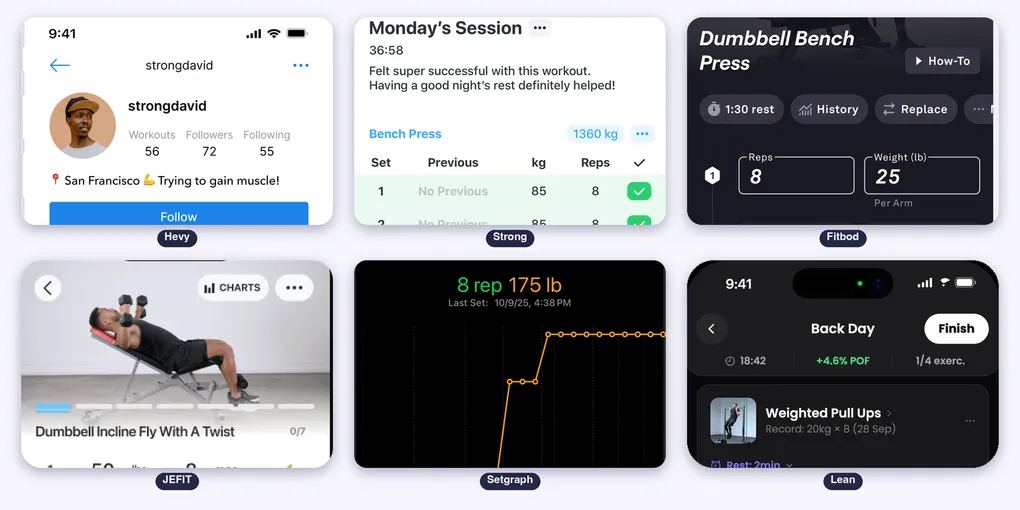
Best Workout Tracker App for iPhone: Hevy, Strong, Fitbod, JEFIT, Setgraph and Lean Compared
Every workout tracker on the App Store logs sets and reps. What changes is how fast you log, who builds the plan, what the Apple Watch can do and what you pay after the free week.
This is a screen by screen comparison of Hevy, Strong, Fitbod, JEFIT, Setgraph and Lean, only for iPhone. We used the apps, tested every feature and did a full review.
Table of Contents
- Side by Side on iPhone
- How You Log a Set
- Who Builds Your Plan
- How You See Progress
- Hevy
- Strong
- Fitbod
- JEFIT
- Setgraph
- Lean
- Price and Free Plan
- Which One Is Best for What
- Suggestion: Lean
Side by Side on iPhone
| Hevy | Strong | Fitbod | JEFIT | Setgraph | Lean | |
|---|---|---|---|---|---|---|
| iPhone | Yes | Yes | Yes | Yes | Yes | Yes |
| iPad | Full iPad app | Runs the iPhone app | Yes | Yes | Yes | Runs the iPhone app |
| Mac | Not listed | Not listed | Not listed | Not listed | Not listed | Not listed |
| Apple Watch | Yes, logs sets | Yes, logs sets | Yes | Yes, live sync | Yes | Yes, rest timer |
| Minimum iOS | 15.1 | 15.0 | 18.0 | 15.0 | 16.4 | 17.0 |
| Size | 304 MB | 135 MB | 211 MB | 300 MB | 407 MB | 44 MB |
| Languages | 16 | 11 | 3 | 6 | 7 | 10 |
| Live Activity or Lock Screen timer | Yes | Not listed | Not listed | Yes, set count and rest timer | Yes, and Dynamic Island | Yes |
| Home Screen widgets | Yes | Yes | Not listed | Yes | Not listed | None |
| Apple Health | Exports the workout | Reads and writes data | Integrates | Not listed | Syncs with Health and Fitness | Sends the workout to Fitness |
Every app runs on iPhone and lists an Apple Watch app. None lists a native Mac app. Lean is the lightest by far, and Hevy has the most languages. For Lean we count the languages inside the app (10), because its App Store page lists only English.
How You Log a Set
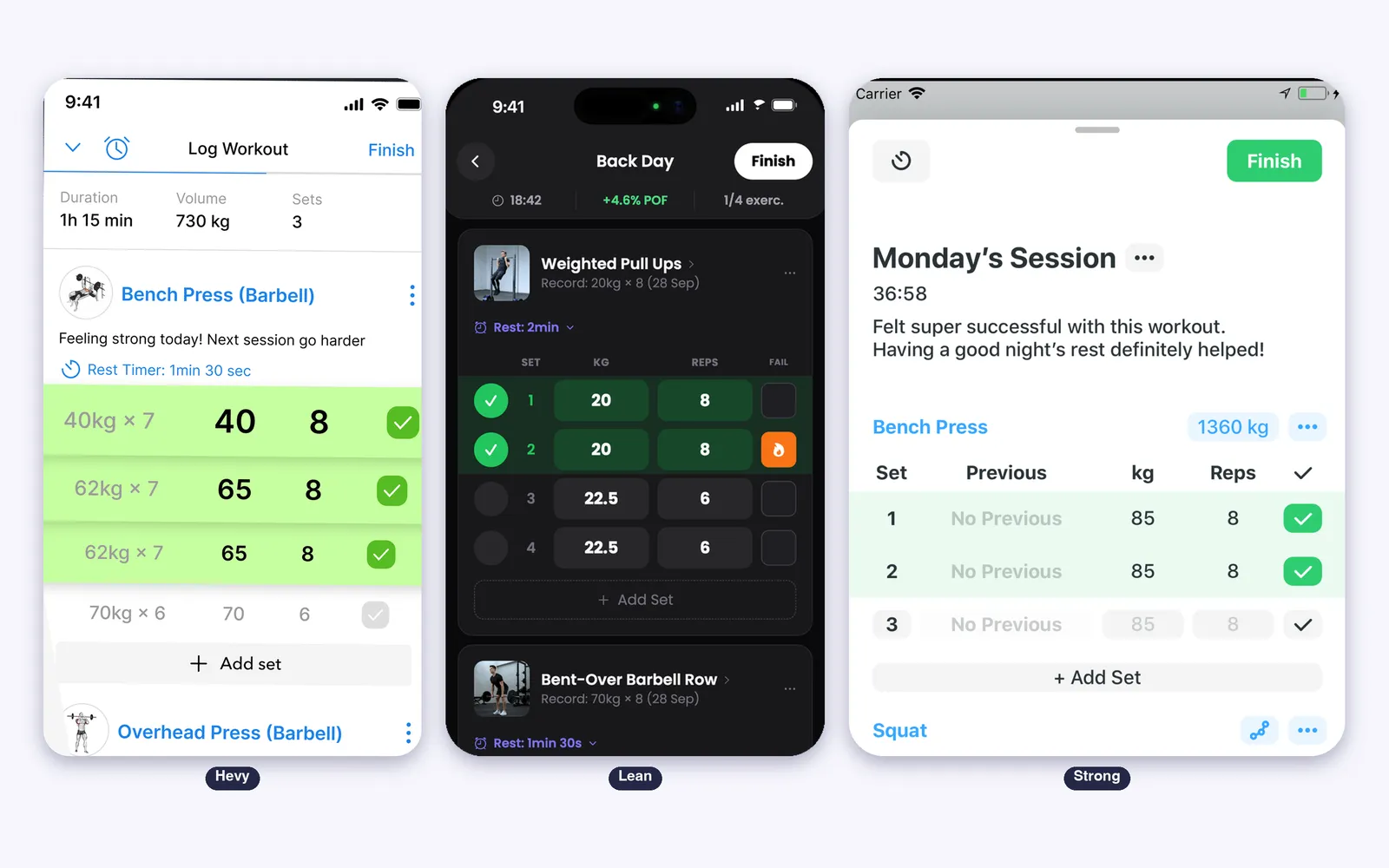
Logging is the part you repeat 20 times a workout, so the taps matter.
- Hevy: weight, reps, duration and RPE, last session shown next to each set, supersets, drop sets and warm ups
- Strong: the classic table of set, previous, weight and reps, with warm up and plate calculators and an automatic rest timer
- Setgraph: instant logging with minimal taps, supersets and circuits, Smart Plates and a “Next Set Due” notification
- JEFIT: supersets, set tags (warm up, working, drop, failure), custom rest timer, stopwatch or countdown
- Fitbod: sets, reps and weight inside the workout it generated for you
- Lean: your last session filled in for each set, a rest timer and a check mark per set
Who Builds Your Plan
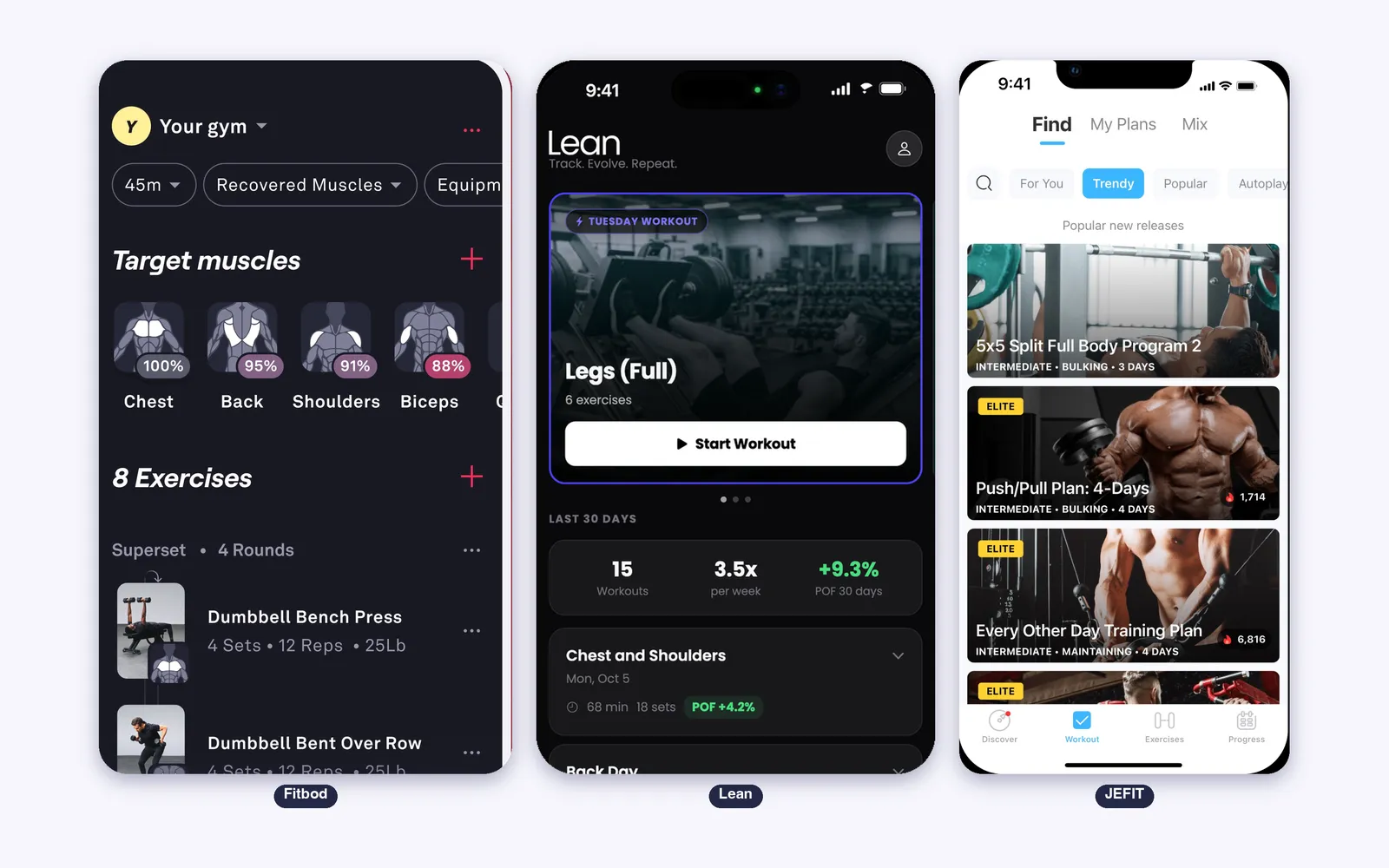
- Fitbod: the whole product. AI builds each workout from your equipment and recovery, and learns from your edits
- JEFIT: an Adaptive Plan built around goal, level and equipment, plus pre-built bodybuilding programs
- Hevy: Hevy Trainer builds a program from your experience, goal and equipment, but only with Hevy Pro
- Setgraph: plans by goal (aesthetic or performance) that drop straight into your workout lists
- Lean: Lean Trainer asks a few questions and builds your week, with 4 consistent weeks and then 8 weeks of load progression
- Strong: no plan builder. You create routines yourself
How You See Progress
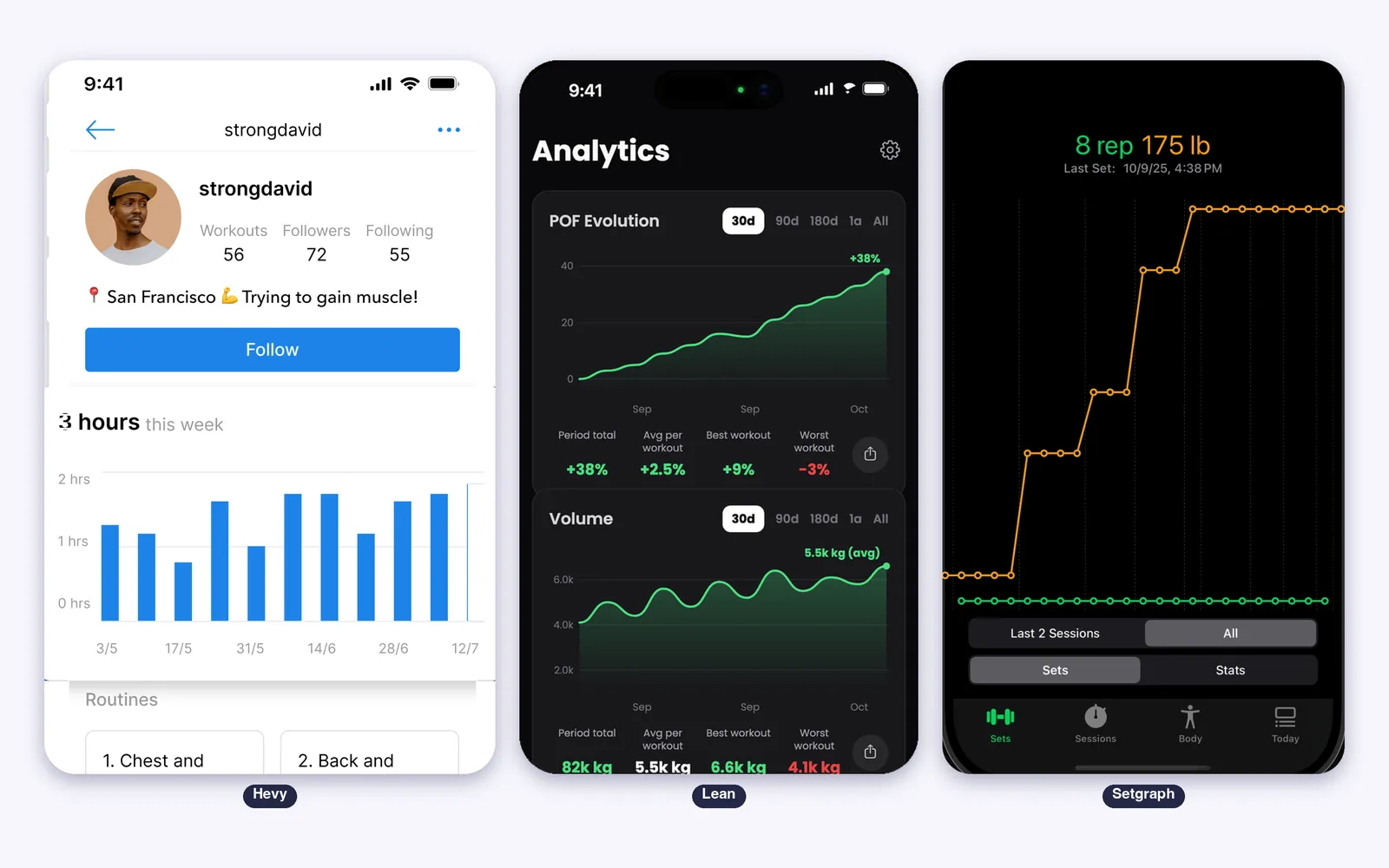
- Lean gives each workout a POF score and charts how it evolves, from 30 days to all time, next to your volume, with the total, the average and the best workout of the period
- Hevy shows a graph and PRs for every exercise, plus calendars and streaks
- Strong charts volume and one rep max, and shows workouts per week on the Home Screen
- Setgraph draws real-time graphs per exercise and calculates your one rep max with the formula you choose
- JEFIT adds a muscle recovery and insights view
- Fitbod tracks recovery per muscle group
Hevy
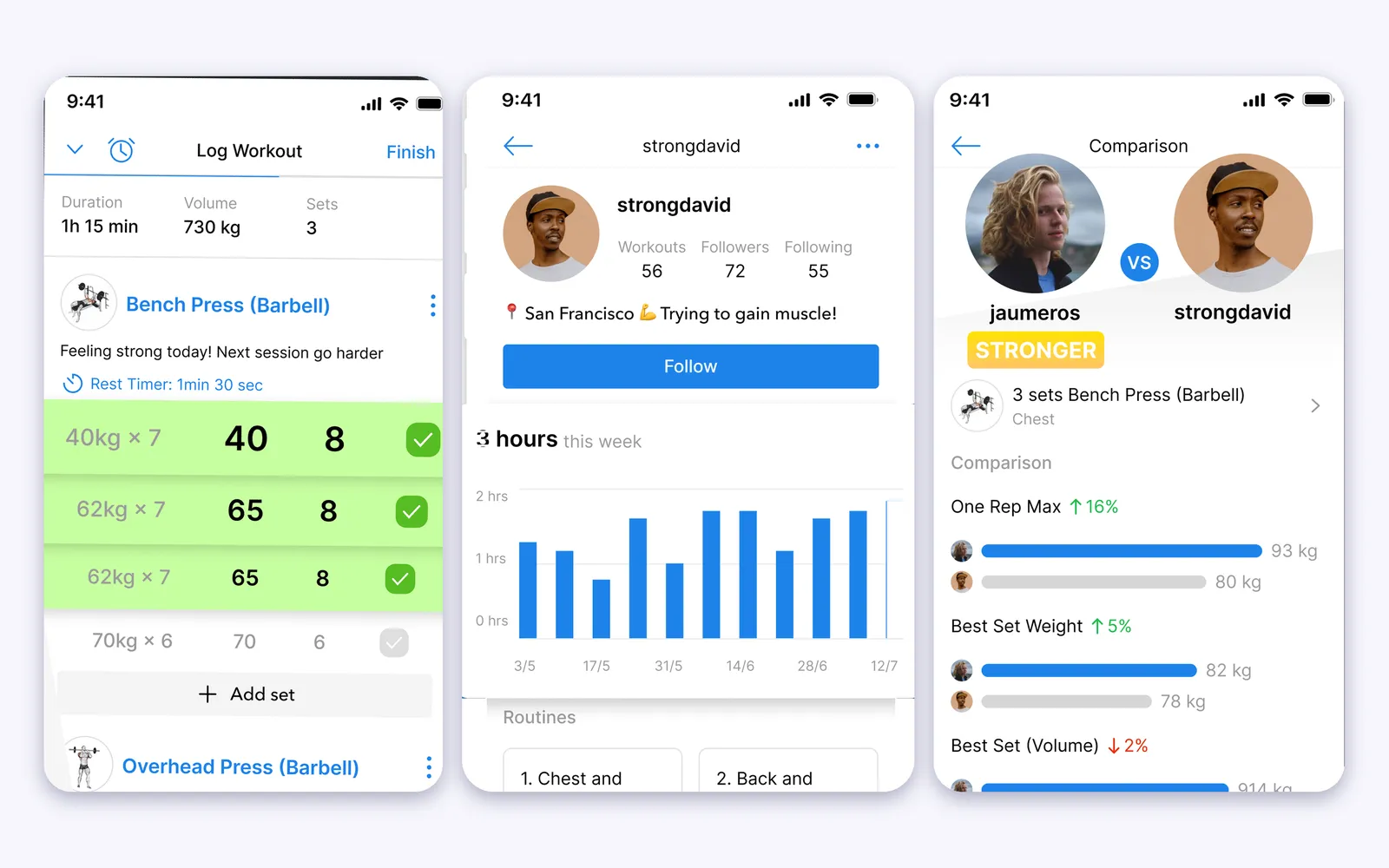
The most social of the six. You follow friends, see their workouts in a feed and compare lifts.
- Free, with no ads, and it works offline with sync across your devices
- Apple Watch logs sets, starts rest timers and shows heart rate, with complications
- Live Activity and widgets for the rest timer, the routine of the day and your weekly streak
- Hevy Pro: Hevy Trainer, unlimited routines and custom exercises, full history
- Best for: people who train better with a community
Strong
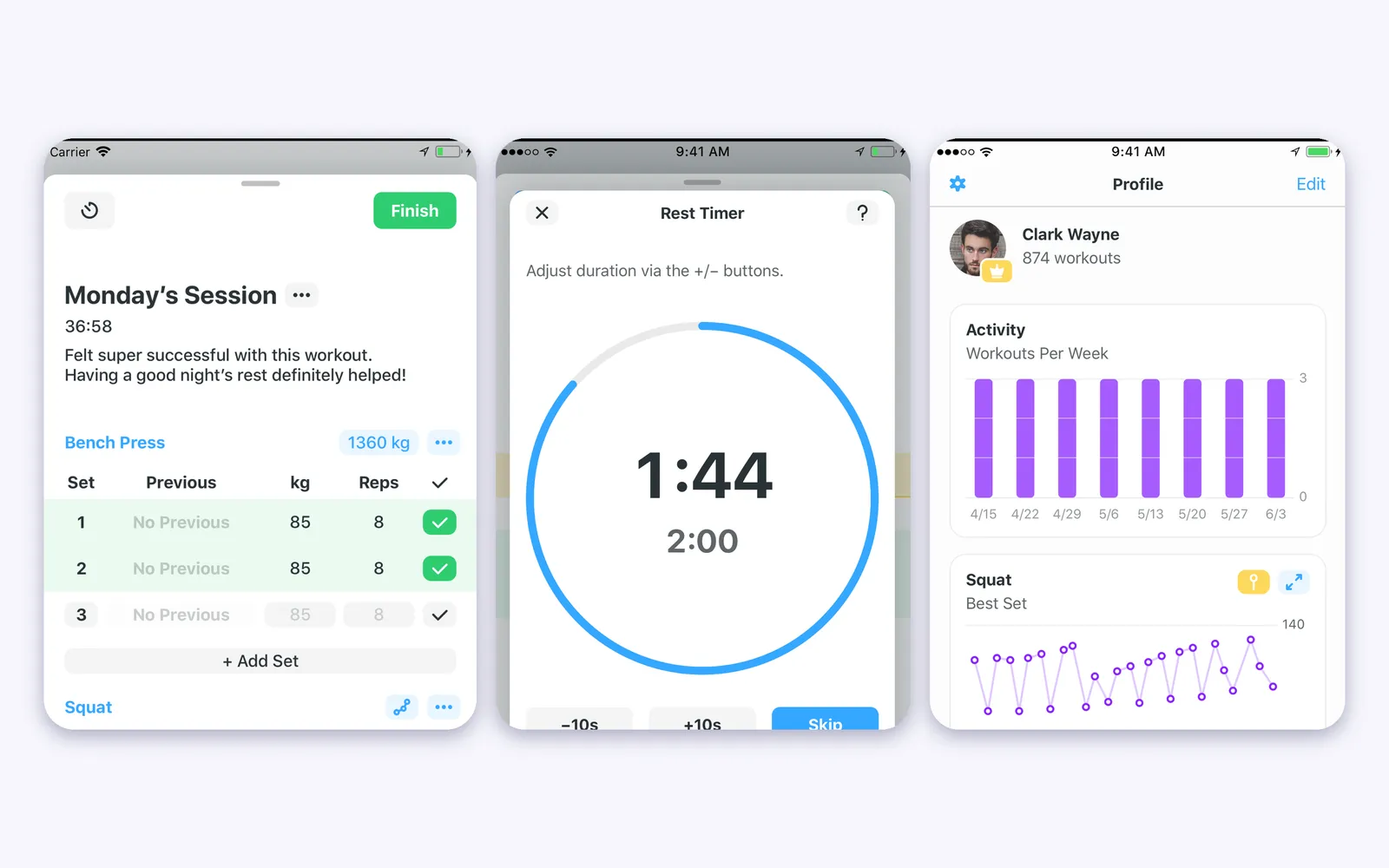
The simplest classic logger: a clean table, a plate calculator and charts.
- Apple Watch app to log workouts with or without the iPhone
- Free version saves unlimited workouts but is limited to 3 custom routines
- Strong PRO: unlimited routines, charts, measurements and calculators
- Best for: lifters who already know their routine and want no extras
Fitbod
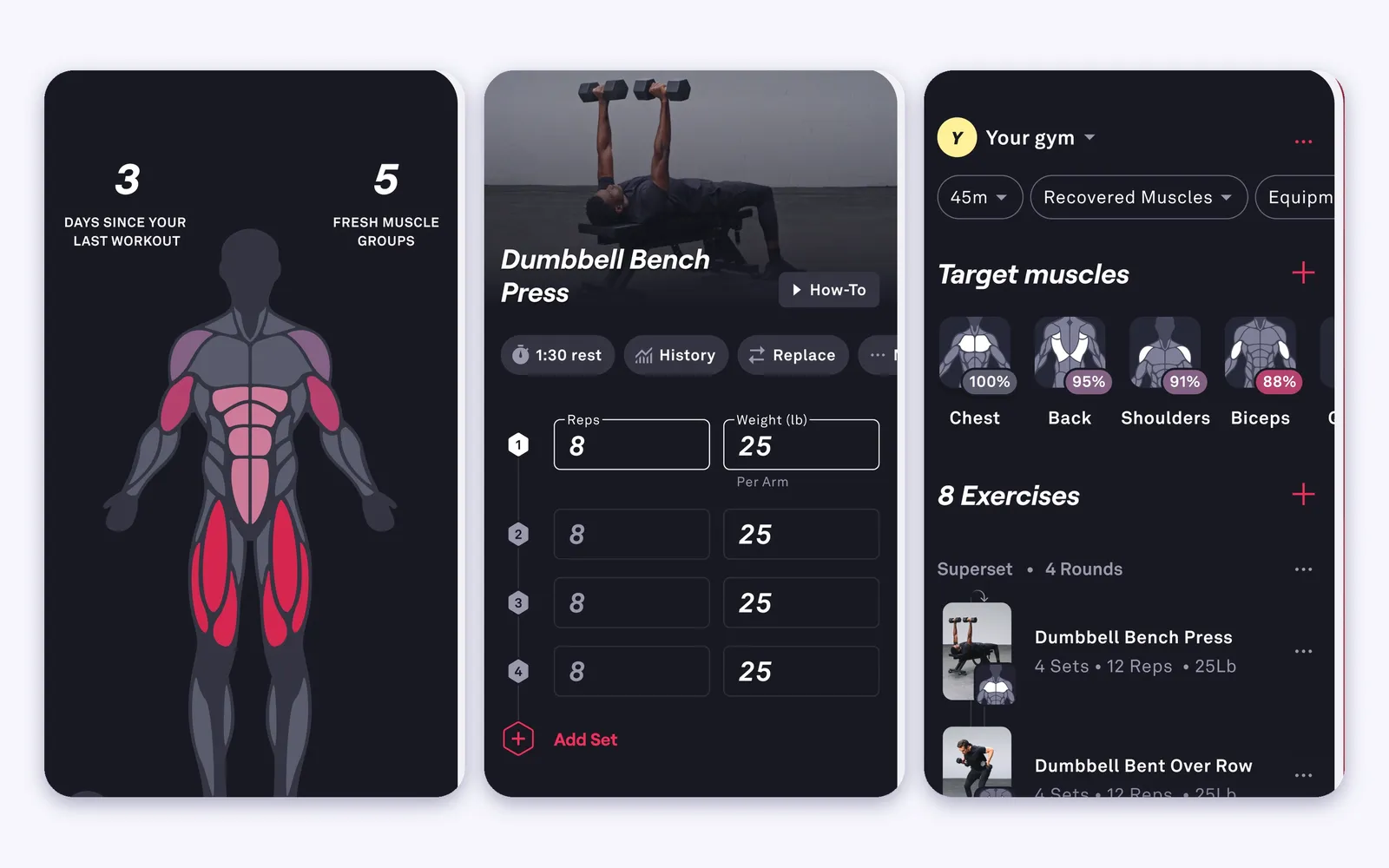
Fitbod is a planner first. It decides what you lift today.
- AI workouts that vary and balance exercises, with 1,000+ exercises and video walkthroughs
- Apple Health, Strava and Apple Watch integration
- Needs iOS 18 or later and has 3 languages
- Best for: people who want the app to tell them what to do
JEFIT
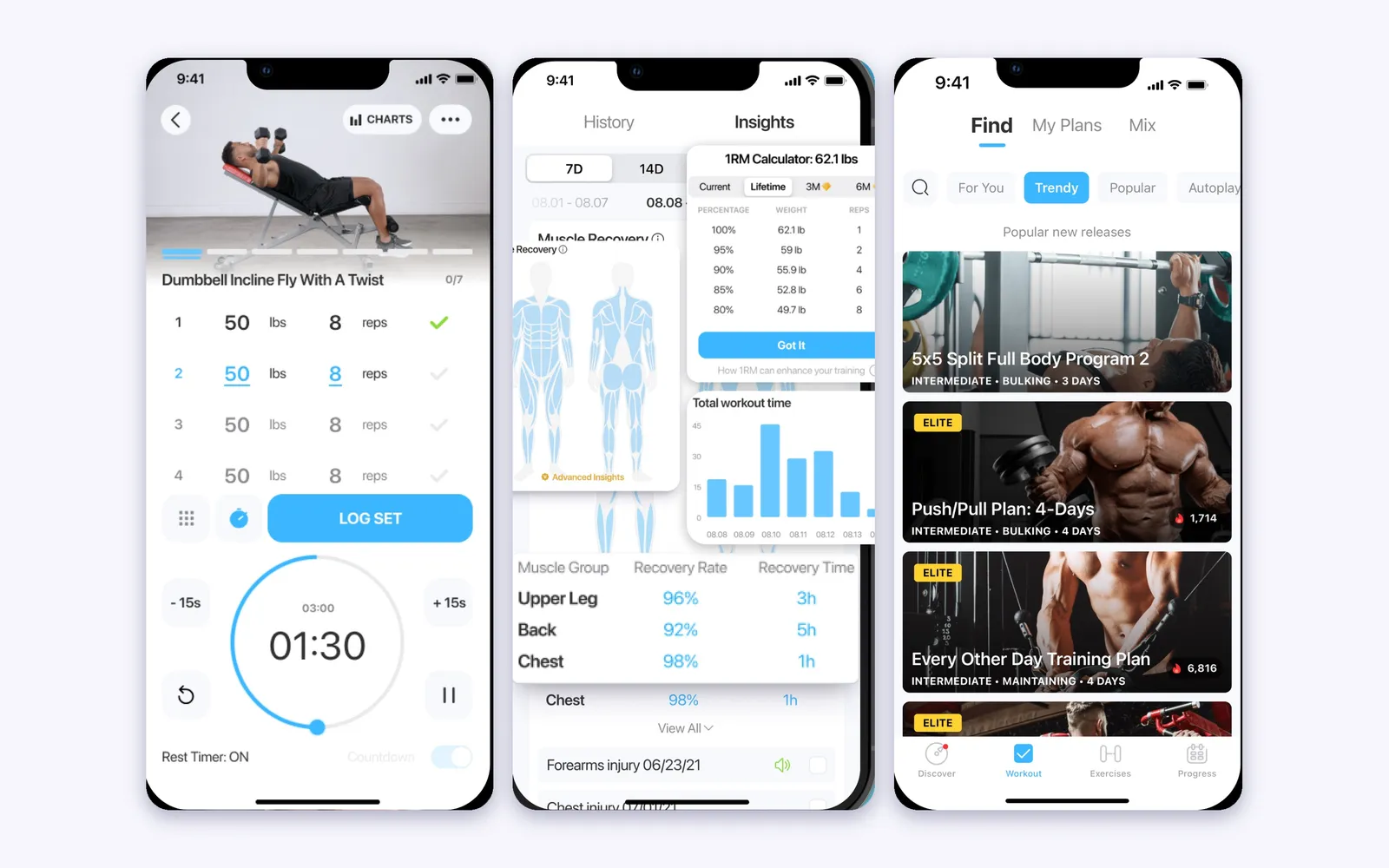
The biggest library and the most features packed in.
- 1,400+ exercises with HD videos and animations, and a Lock Screen with set count and rest timer
- Apple Watch live sync with heart rate and calories, and a widget for today’s workout
- JEFIT Elite: Adaptive AI Coach, premium analytics and an elite routine library
- Best for: people who want a huge catalog and programs in one place
Setgraph
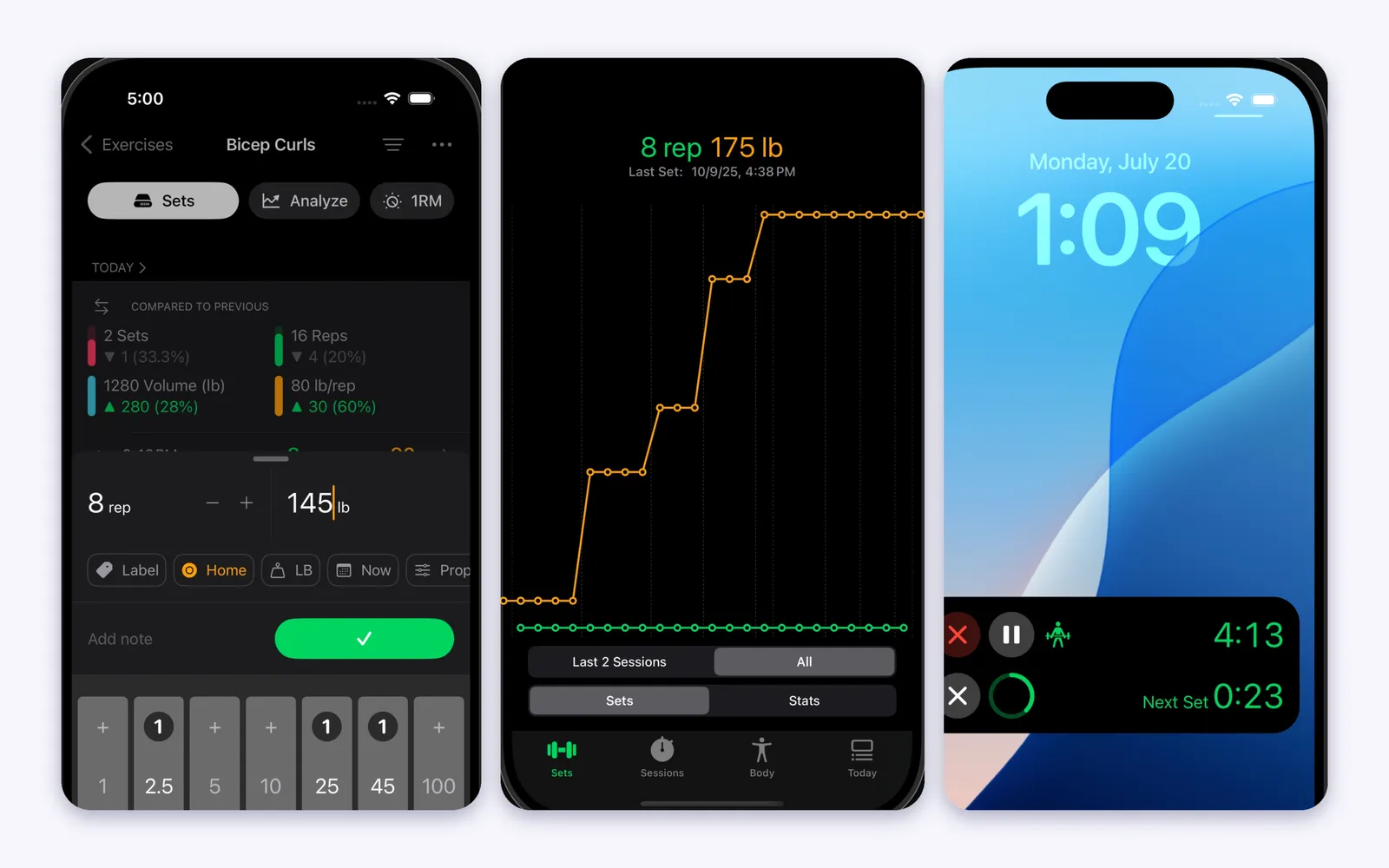
Built around fast logging and graphs.
- Rest timer on the Lock Screen and the Dynamic Island, and a “Next Set Due” notification
- Smart Plates calculate the total weight on the bar
- Apple Watch and Apple Health sync
- Best for: people who live in the numbers and want the timer outside the app
Lean
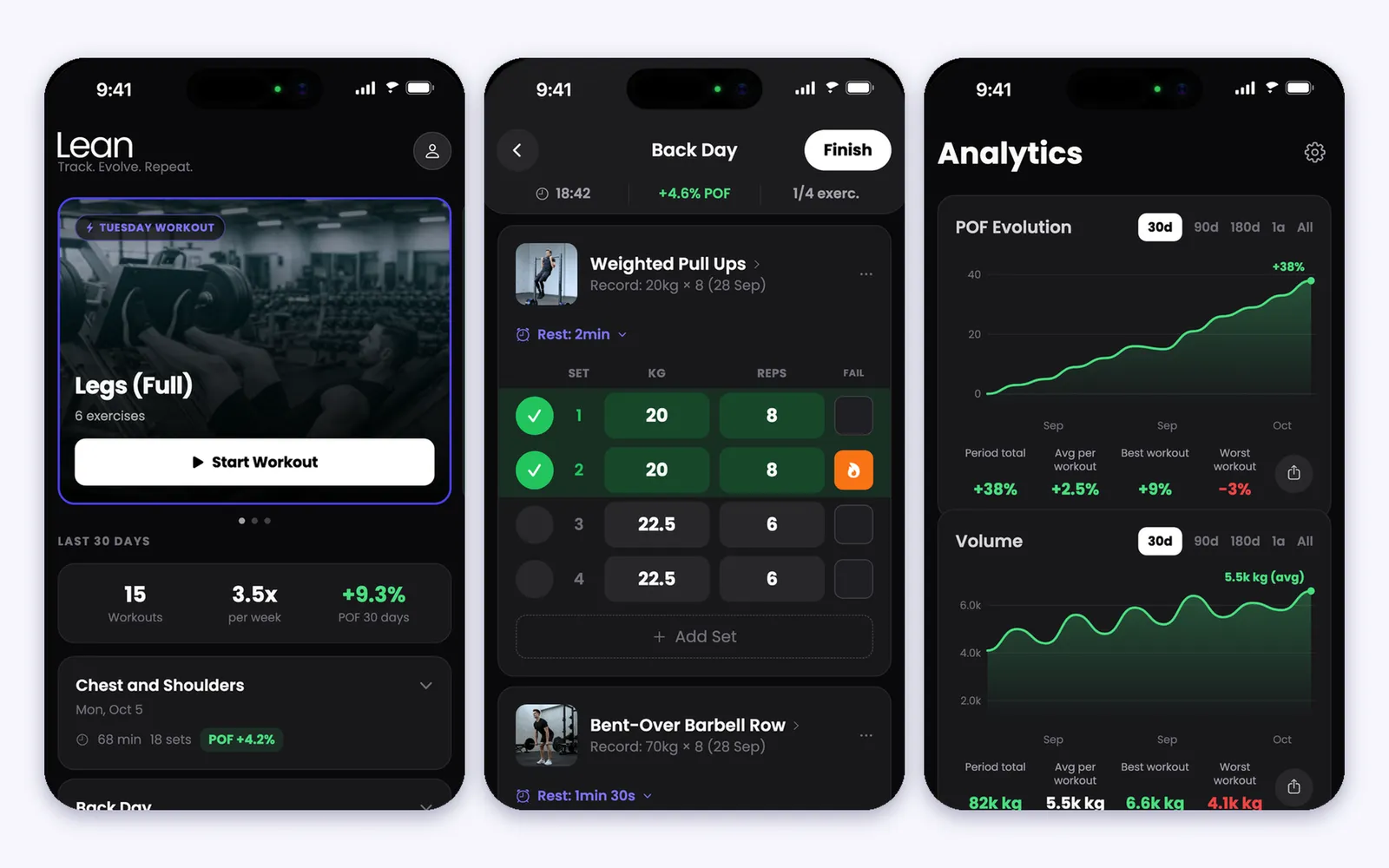
Lean is built to be simple, direct, easy to use and light. It has what the workout needs, from the routine to the progress, and goes straight to your goal: log, evolve, repeat.
- Simple and direct: open the app, start the workout, log each set with your last session already filled in and see if you evolved
- Light: 44 MB, the smallest of the six
- Routines your way: from scratch, ready-made, generated with ChatGPT, or imported from Hevy or Strong, a screenshot or text
- POF shows, in percent, if you evolved in each workout
- Apple Watch rest timer, Live Activity, sync with Apple Fitness and challenges with friends
- Lean Trainer builds the plan, and the app works without an internet connection, per its store listing
- No free training: starting a workout needs Pro
Price and Free Plan
| Free plan | Paid | |
|---|---|---|
| Hevy | Yes, no ads | Pro: $2.99 per month, $23.99 per year or $74.99 lifetime |
| Strong | Yes, 3 custom routines | PRO: $4.99 per month, $29.99 per year or $99.99 forever |
| Fitbod | Not listed | $12.99 per month or $79.99 per year |
| JEFIT | Yes | Elite: $12.99 per month or $69.99 per year |
| Setgraph | Yes | Pro: $4.99 per month, $29.99 per year or $199.99 lifetime |
| Lean | No, training needs Pro | Pro: $4.99 per week, $7.90 per month, $19.90 per quarter or $49.90 per year |
Prices are from each app’s App Store In-App Purchases list in the US store, on Oct 28, 2026. They change by country.
Which One Is Best for What
- Best community: Hevy
- Simplest classic logger: Strong
- Best plan made for you: Fitbod
- Biggest library and programs: JEFIT
- Best timer outside the app: Setgraph
- Simple, direct and light, with a score per workout: Lean
If you already train in Hevy or Strong, Lean imports your history, so you keep it when you switch.
Suggestion: Lean
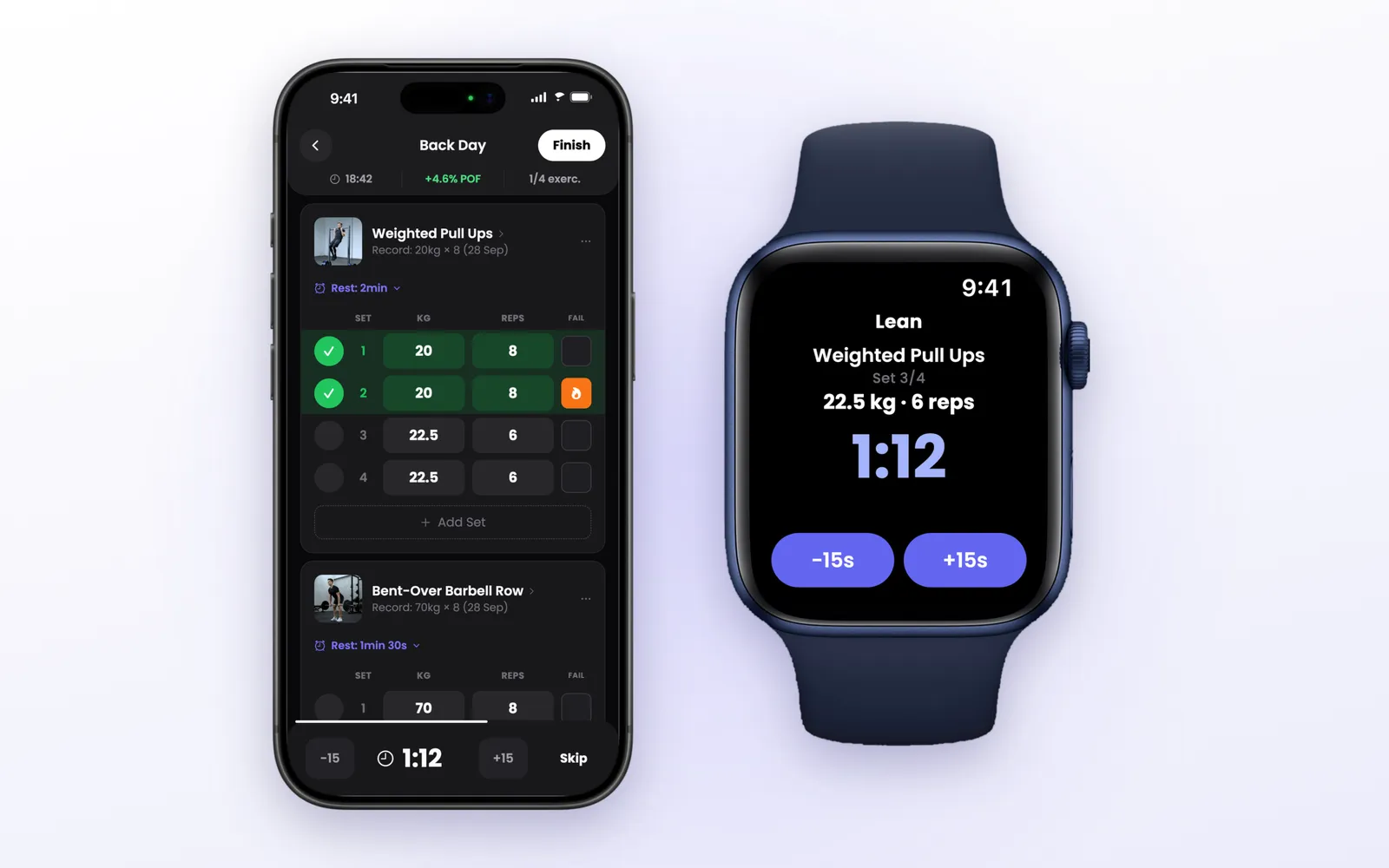
If you want an app that is simple, direct and light, and that shows, workout after workout, if you are evolving, our pick is Lean.
It runs on iPhone and Apple Watch, with the rest timer on your wrist and a Live Activity on the Lock Screen.
- Simple and direct: your last session filled in and a check per set
- Light: 44 MB, the smallest of the six
- POF score for each workout and charts for the long run
- Lean Trainer builds your plan, and imports from Hevy and Strong
Read the full review or the comparison with Hevy and Strong.
