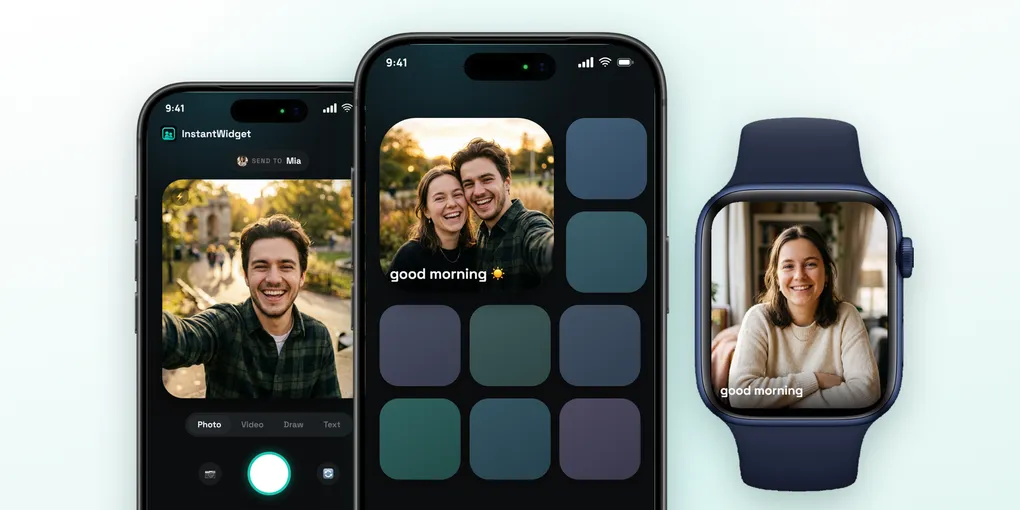
InstantWidget Review: The Photo Widget App for Couples and Best Friends
You pick up your phone dozens of times a day, and most of those times you are not opening anything. You glance at the Home Screen and put it back. Messages from the person you love sit inside an app, behind a badge, mixed with work groups and delivery codes.
A photo sent in a chat is seen once and scrolls away. The same photo on the Home Screen is seen every time you unlock the phone. That is the idea behind shared widget apps, and it works best when it is small: one person, one widget, nothing else.
Why InstantWidget Is Different
Most apps in this category grew into social networks, with friend lists, feeds and reactions. InstantWidget goes the other way. It is built for two people: you connect with your person through a private link, and whatever one sends becomes the widget on the other’s Home Screen.
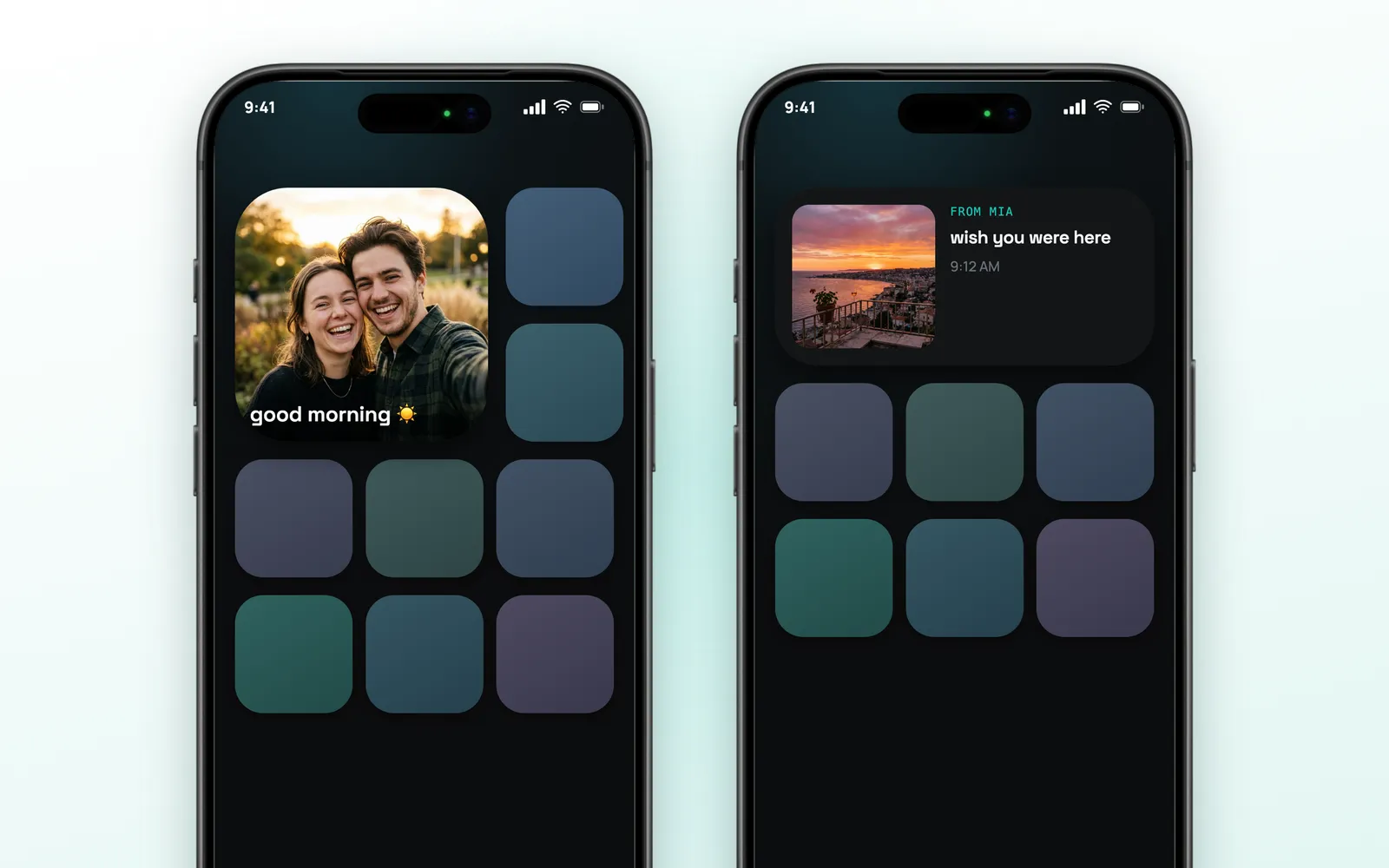
The widget comes in two sizes:
- Small: the latest photo fills the whole widget, with the caption over it
- Medium: the photo on the left, and on the right who sent it, the caption and the time
There is nothing to refresh. When your person sends something, the widget changes on its own, and a notification arrives with their name, the caption and the photo right in the banner. Tapping the widget opens that card in the app.
There is no feed, no likes and no public profile. The only people who see what you send are the ones you connected with.
Table of Contents
- Why InstantWidget Is Different
- Photo, Video, Drawing or Text
- Your Shared History
- Private by Design
- Apple Watch
- Apple Ecosystem Score
- Pricing
- Alternatives
- Verdict
Photo, Video, Drawing or Text
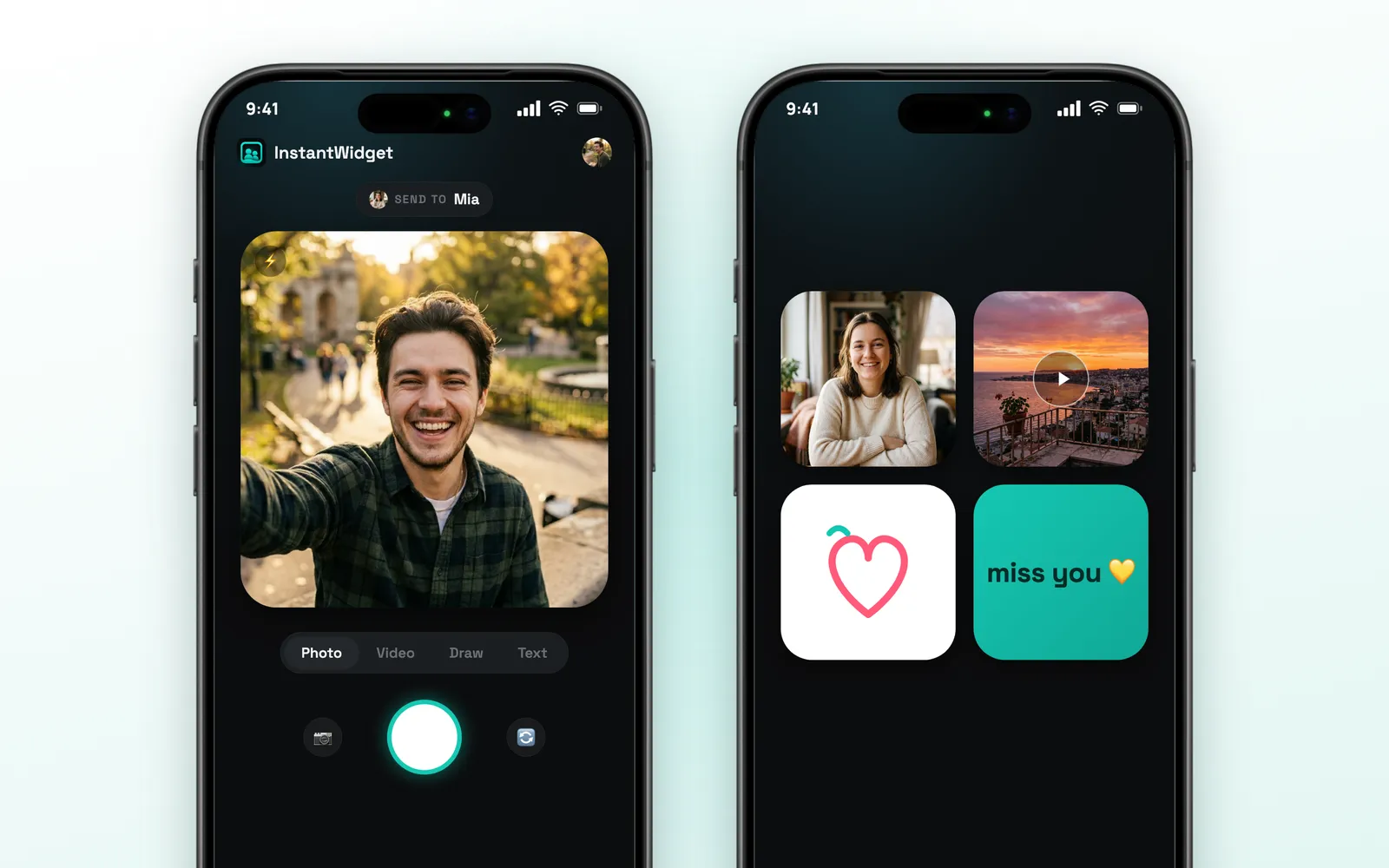
The app opens on the camera, with the name of the person you are sending to at the top. Below the viewfinder you choose one of four modes:
- Photo: shoot right there, with flash and front or back camera
- Video: hold to record a short clip, up to six seconds
- Draw: a white canvas for a doodle, with colors, two brush sizes, undo and clear
- Text: a few words on a colored card
After that you can add a caption and tap Send. The app confirms when it is on the other person’s Home Screen. If the connection drops, the card stays saved and the app keeps trying in the background.
One detail about video: on the widget it appears as a still frame with a play mark, and it plays when opened in the app. iOS widgets do not play video.
If you are connected to more than one person, a Send to picker lets you choose who receives each card.
Your Shared History
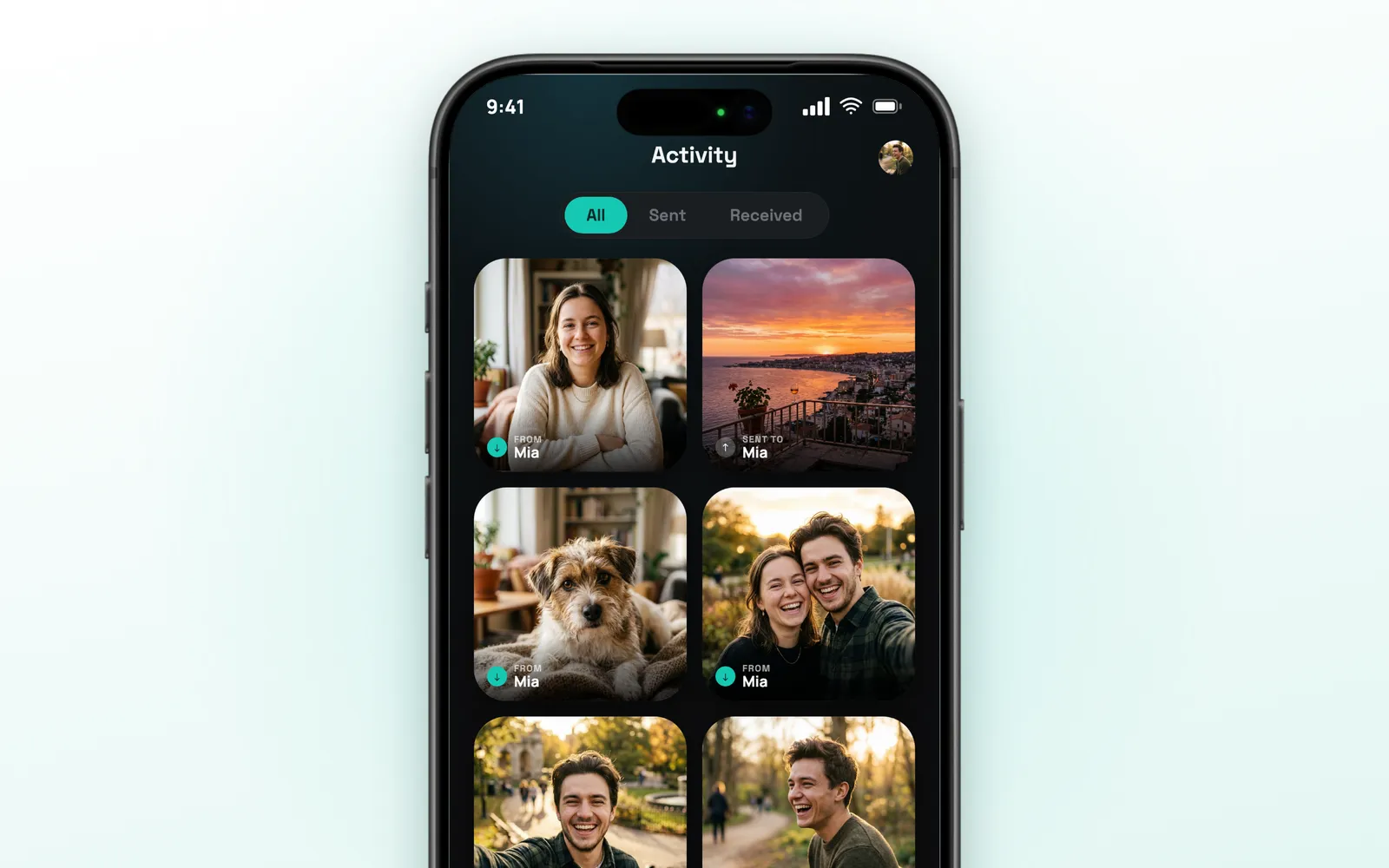
Everything you two exchange is kept in the Activity tab, as a grid of cards. Each one shows if it came from your person or was sent by you, and a filter at the top separates All, Sent and Received.
Tapping a card opens it large, with who sent it and when. Photos can be zoomed. Over time this becomes a small album of the two of you, made only of things that were once on a Home Screen.
Private by Design
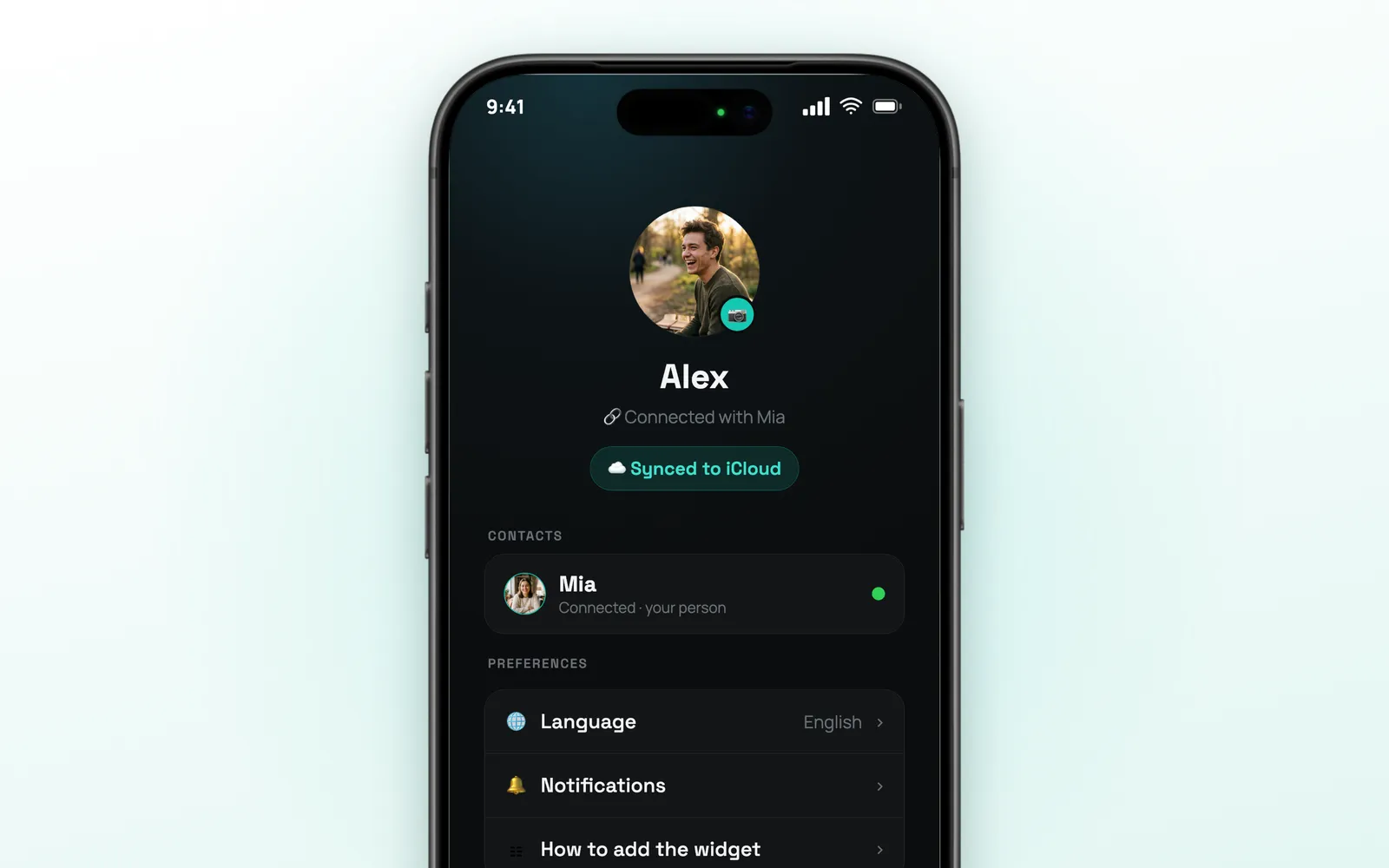
There is no sign-up. InstantWidget does not ask for an email, a phone number or a password. It uses the iCloud account already on your iPhone, so opening the app is enough to start.
Connecting works through a link:
- The app creates a private iCloud link for you
- You send it to your person by Messages, WhatsApp or any other app
- When they open it, you two are connected
Each link is private to one person. You can add other contacts, each with their own link, and remove a contact at any time, which also removes the cards shared with them.
The cards sync through iCloud. The profile screen shows the sync status, lets you change the app’s language (nine available), and has Delete account, which removes your cards and connections from iCloud and from the device.
The consequence of this design: both people need an iPhone signed in to iCloud. There is no Android version.
Apple Watch
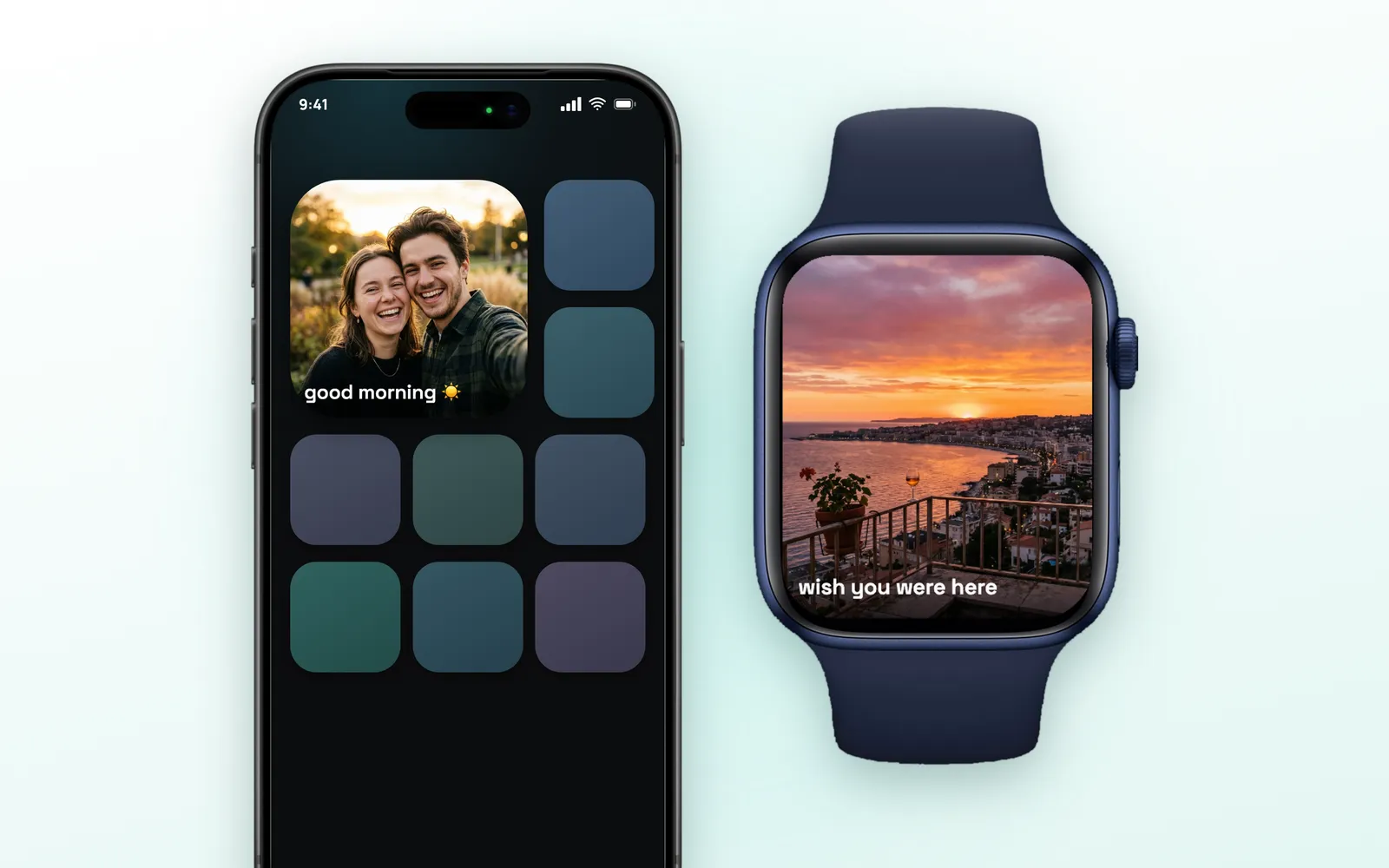
The Watch app does one thing: it shows the latest card your person sent, full screen, with the caption. Open it and their photo is on your wrist.
There are also complications for the watch face and the Smart Stack, in three formats: a rectangular one with the photo, a circular one and an inline text one.
The iPhone is the one that talks to iCloud and passes the latest card to the Watch, so the Watch needs the phone to stay up to date. The Watch app is part of the paid plan.
Apple Ecosystem Score
| Feature | Available | Notes |
|---|---|---|
| iPhone | ✅ | iOS 17 or later |
| iPad | ✅ | Runs the iPhone app |
| Home Screen widgets | ✅ | Small and medium |
| Apple Watch | ✅ | Latest photo and complications |
| iCloud sync | ✅ | No account, no password |
| Rich notifications | ✅ | Name, caption and photo in the banner |
| Lock Screen widgets | ❌ | Not yet |
| Live Activity | ❌ | Not yet |
| Siri / Shortcuts | ❌ | Not yet |
Score: 6/9. InstantWidget is built on Apple’s own pieces: WidgetKit, iCloud and the Watch. A Lock Screen widget and a large Home Screen widget would be the natural next steps.
Pricing
InstantWidget is free to download and to use every day. The free plan includes one send per day, with photos from the camera, drawings and text.
InstantPro removes the daily limit and adds video, sending photos and videos from your gallery, and the Apple Watch app. At the time of writing, the App Store listing in the United States shows $1.99 per week or $9.00 every three months. Prices vary by region, and the app shows yours before you subscribe.
Alternatives
| App | Price | Best For |
|---|---|---|
| Locket Widget | Free download | Photo widgets with a group of friends |
| Widgetable: Besties & Couples | Free download | Shared widgets with many themes |
| noteit - bff widget | Free download | Drawings and notes on a widget |
| Lovebox - Long Distance Love | Free download | Long distance messages |
| Paired: Couples & Relationship | Free download | Questions and games for couples |
The big names here are built around friend groups and extra features. InstantWidget stays with the original idea: one person, one widget, and no account to create.
Verdict
4.8 / 5 ⭐
InstantWidget does one thing and keeps it clean. Sending takes a few seconds, the widget updates on its own, and the fact that it needs no sign-up makes it easy to convince the other person to install it. The privacy model is the simplest one possible: your iCloud, a private link, and nobody else.
The downsides: both people need an iPhone, the free plan allows one send per day, video and gallery uploads require the subscription, and there is no large or Lock Screen widget.
Recommended for: couples, long distance relationships, best friends and families who want a quiet way to stay close, without another feed to scroll.
