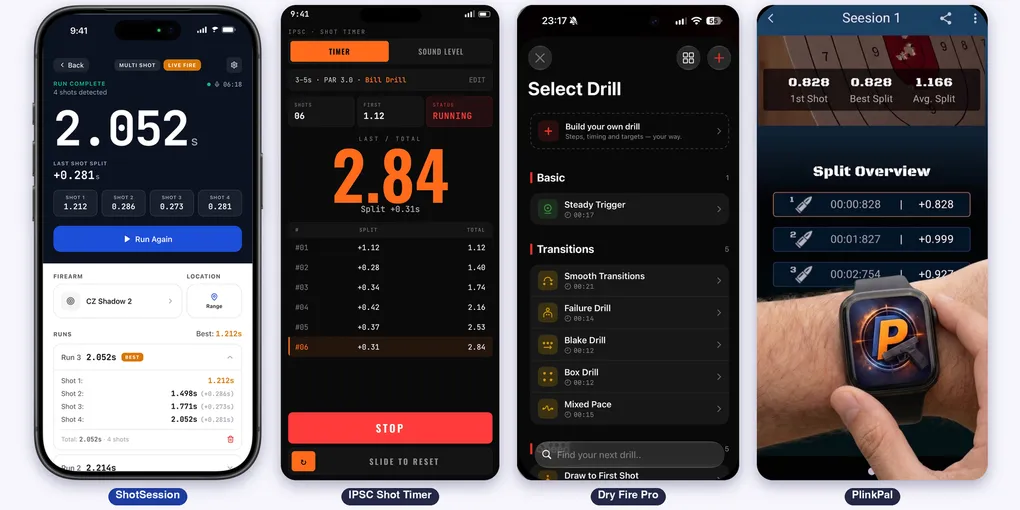
Best Shot Timer App for iPhone: ShotSession, IPSC Shot Timer, ShootOnTime, Dry Fire Pro, PlinkPal and Recoil Compared
A shot timer does one job: a beep starts the clock and the app writes down the moment of every shot. On the iPhone the apps that do it are very different. Some listen to the shots, some only count a par time, and some read the recoil on your wrist.
This is a screen by screen comparison of ShotSession, IPSC Shot Timer, ShootOnTime, Dry Fire Pro, PlinkPal and Recoil Shot Timer, for the iPhone. We used the apps, tested every feature and did a full review.
Table of Contents
- Side by Side on iPhone
- How the App Hears Your Shots
- Drills, Par Time and Random Delay
- History and Charts
- Apple Watch
- Beyond the Timer: Aim and Camera
- ShotSession
- IPSC Shot Timer
- ShootOnTime
- Dry Fire Pro
- PlinkPal
- Recoil Shot Timer
- Price and Free Plan
- Which One Is Best for What
- Suggestion: ShotSession
Side by Side on iPhone
| ShotSession | IPSC Shot Timer | ShootOnTime | Dry Fire Pro | PlinkPal | Recoil | |
|---|---|---|---|---|---|---|
| iPhone | Yes | Yes | Yes | Yes | Yes | Yes |
| iPad | Yes | Yes | Yes | Yes | Yes | Yes |
| Apple Watch | Yes | Yes | Not listed | Not listed | Yes | Yes |
| Minimum iOS | 15.1 | 15.0 | 17.0 | 18.0 | 15.6 | 15.0 |
| Size | 70.4 MB | 27.3 MB | 9.7 MB | 49.9 MB | 139.8 MB | 63.5 MB |
| Languages | 9 | English | English | 3 | English | English |
| Hears the shots | Microphone | Microphone | No, par time only | Microphone, dry fire only | Microphone and watch recoil | Watch recoil, no microphone |
| Account | Optional | None required | None | None | Not listed | Not listed |
ShootOnTime is the lightest download and the only one that does not listen. PlinkPal is the heaviest, with the camera features. Sizes are from the store listings on Nov 21, 2026.
How the App Hears Your Shots
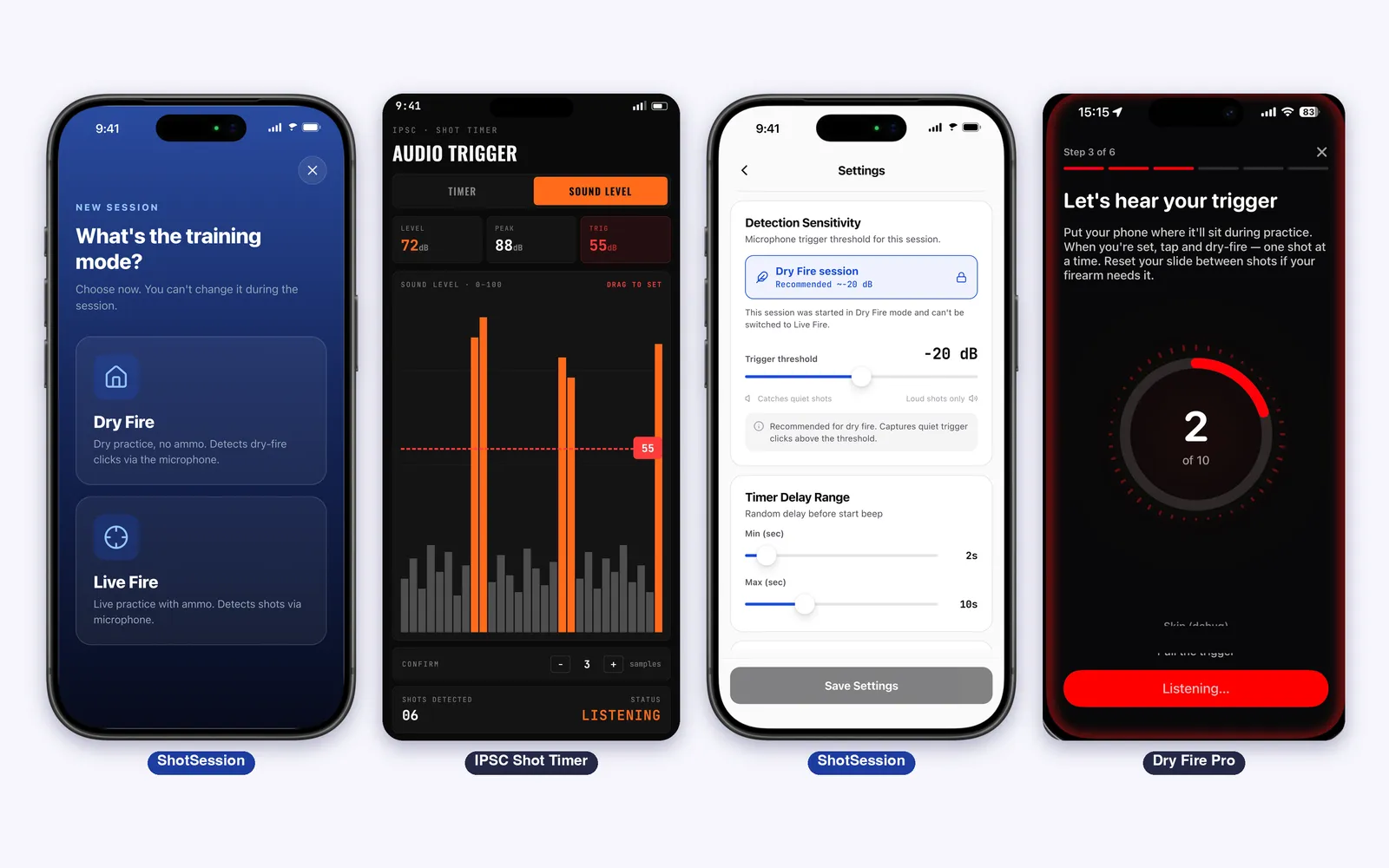
This is the first dividing line, and it decides what the app can measure.
- ShotSession: every session starts with one choice, Dry Fire or Live Fire. Live fire counts only very loud sounds, dry fire catches the click of the trigger, and the threshold can be moved
- IPSC Shot Timer: an audio trigger with a live level meter and a threshold you drag until it hears the shots and not the bay next door
- Dry Fire Pro: on-device machine learning hears your trigger click, and My Firearm trains a personal model from a few of your clicks. Dry fire only
- PlinkPal: an acoustic timer for live fire and dry fire, plus a watch mode that detects shots by recoil
- Recoil: no microphone. The Apple Watch reads the recoil, so it works next to other shooters, in the rain and with suppressed firearms, per its listing
- ShootOnTime: says it does not detect the sound of firearms. It runs the beep and the par time
None of them is a certified match timer. The reading comes from the phone or the watch, so they are training tools.
Drills, Par Time and Random Delay
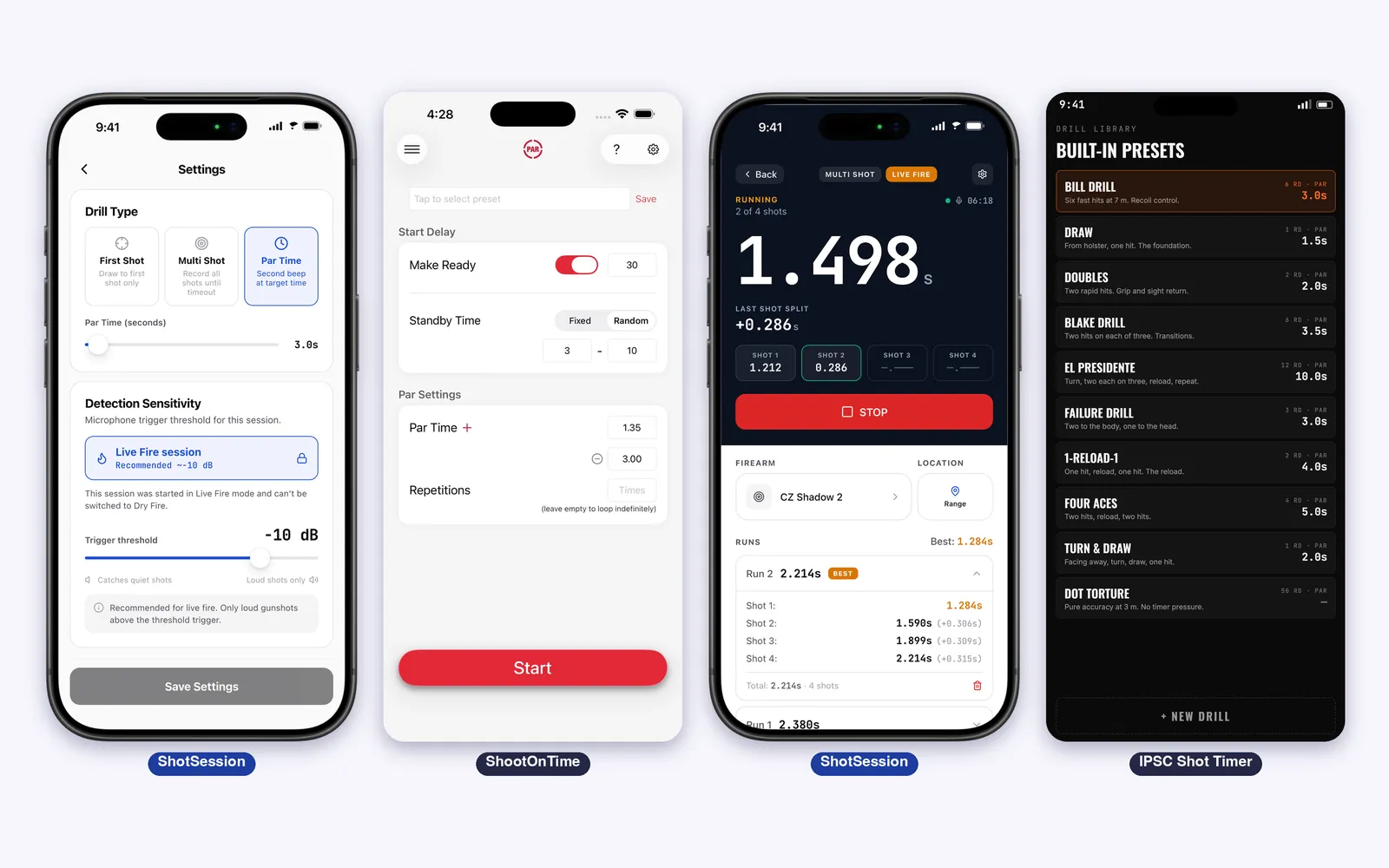
A random delay before the beep is what makes a timer feel like a match.
- ShotSession: three drill types: First Shot (the draw), Multi Shot (every shot until you stop) and Par Time. A voice says “get ready” and the beep comes after a random delay, 2 to 10 seconds by default
- IPSC Shot Timer: ten built-in presets in its screenshots (Bill Drill, El Presidente, Dot Torture and more), each with a suggested par time
- ShootOnTime: the cleanest screens: fixed or random standby, par time with repetitions, saved presets and full screen colors from READY to the time
- Dry Fire Pro: a drill library grouped by skill (Fundamentals, First Shot, Splits, Transitions) with standards like the Bill Drill, 3-3-3 and Tueller. You can build and share your own
- PlinkPal: built-in drills and laser training drills such as Seek and Hit and Dot Torture
- Recoil: the listing does not mention drills
History and Charts
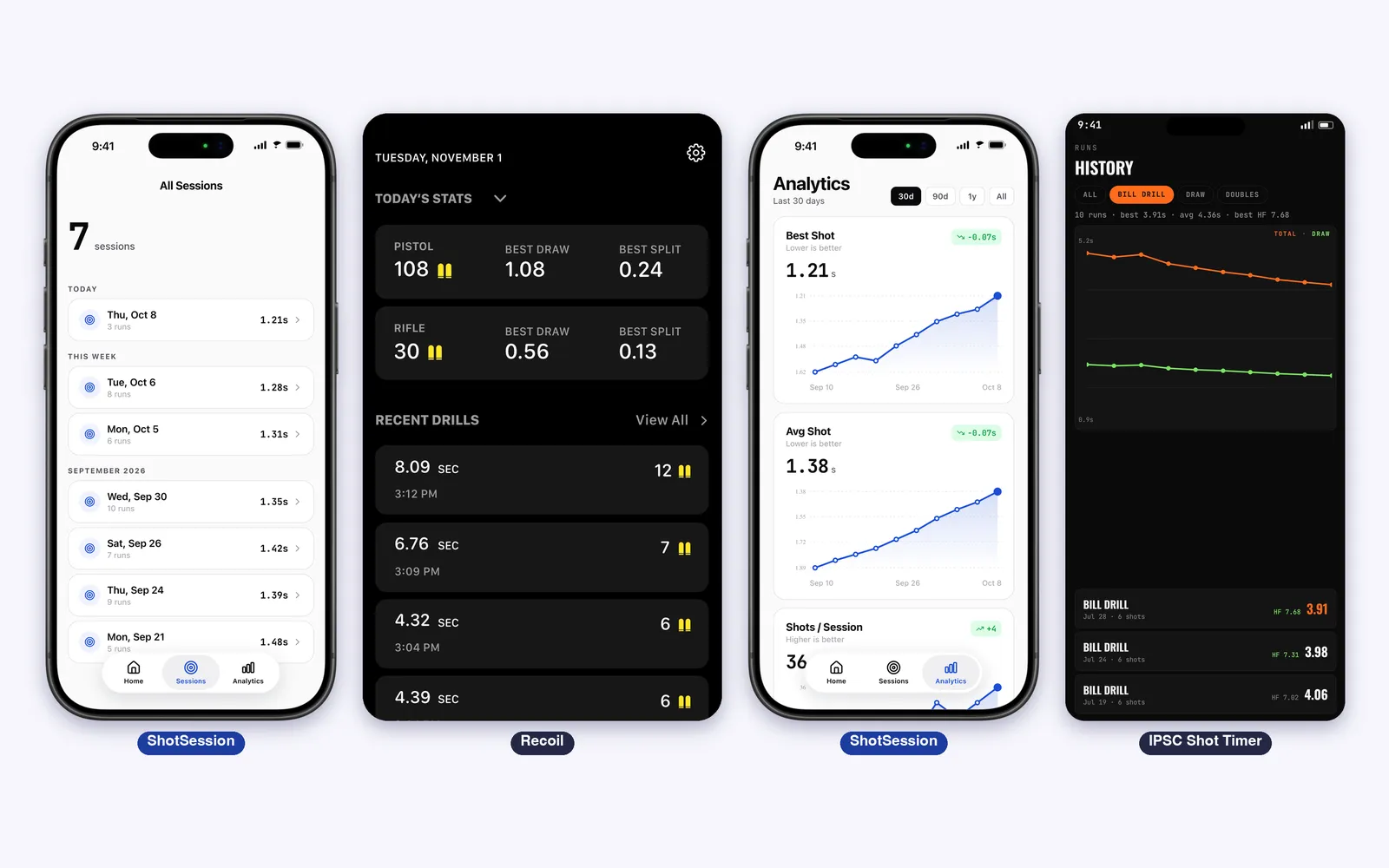
A timer shows the last string and forgets it. Whether your draw is faster than last month is what a log answers.
- ShotSession: each run goes into a session, with the firearm, the range and photos of the target. Charts show best and average times by session, and a card can be shared when it ends
- IPSC Shot Timer: history by drill with trend lines for total and draw time, and match scoring with hit factor, in its screenshots
- Dry Fire Pro: first shot, splits and transitions as averages, a 12 week calendar, streaks and an Ammo Saved counter
- PlinkPal: charts session by session, loadouts for each firearm and caliber, Hit Factor and a score for every session
- Recoil: stats on the phone by day or period and by pistol or rifle: rounds fired, best draw and best split
- ShootOnTime: no history listed
Apple Watch
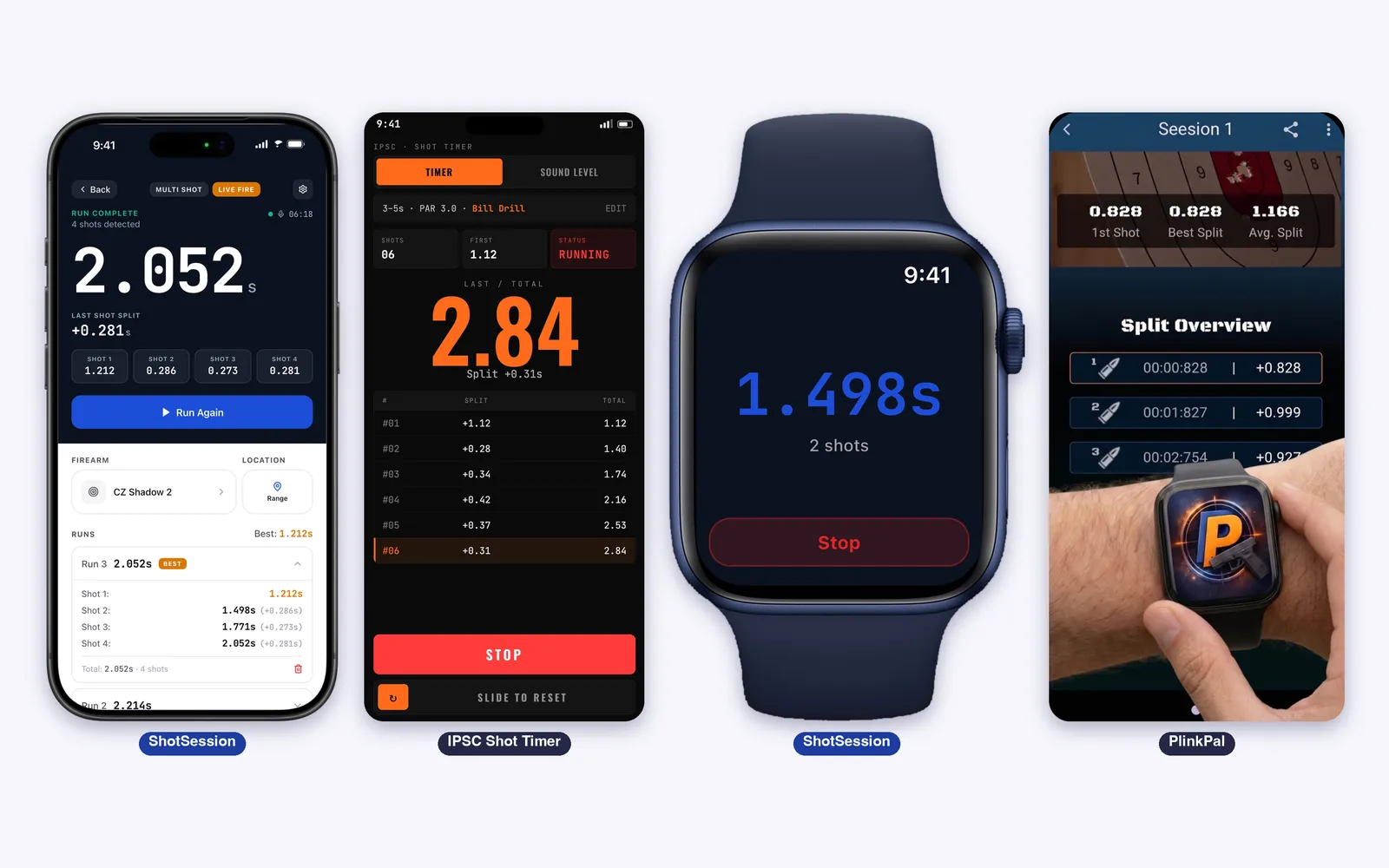
With the phone on a tripod, the wrist becomes the remote, or the timer.
- ShotSession: start the run from the wrist, see the drill and the mode, and tap at the beep. The iPhone does the listening, so it stays nearby
- IPSC Shot Timer: an Apple Watch remote that starts the timer while the phone keeps listening
- PlinkPal: a standalone watch app that detects shots by recoil, with no phone needed
- Recoil: the watch is the timer, and the phone is where you read the stats afterwards
- ShootOnTime and Dry Fire Pro: no Apple Watch app listed
Beyond the Timer: Aim and Camera
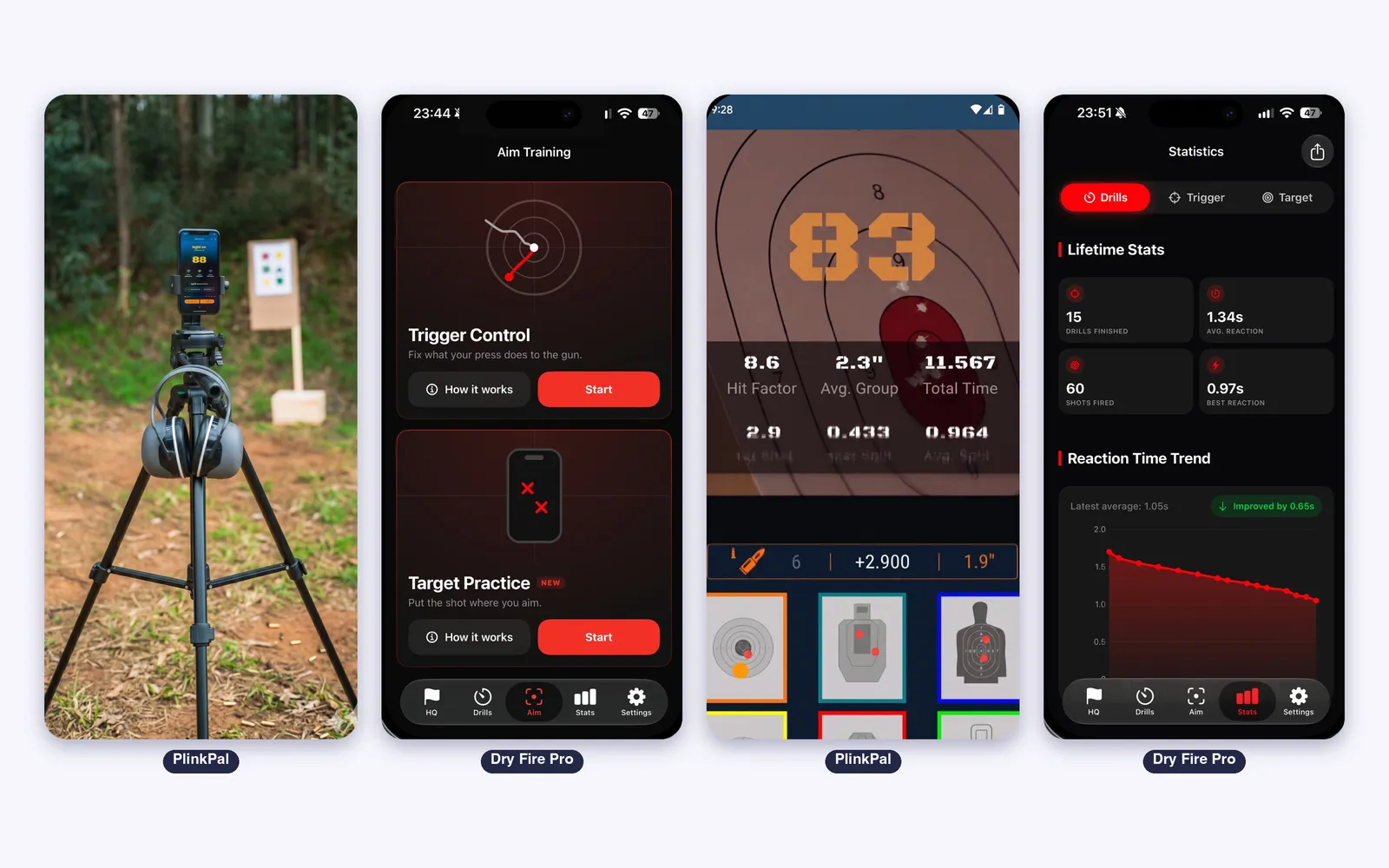
Two apps go past time and splits.
- Dry Fire Pro: a sticker on the muzzle and the front camera measure how the gun moves when the shot breaks. It names the fault (jerking, anticipating, heeling) and gives the fix. Target Practice turns the phone into the target
- PlinkPal: AI Target Vision uses the phone as a target camera to track hits and grouping in real time, and laser training measures accuracy and speed
- ShotSession and the rest: time and splits, with no camera analysis listed
ShotSession
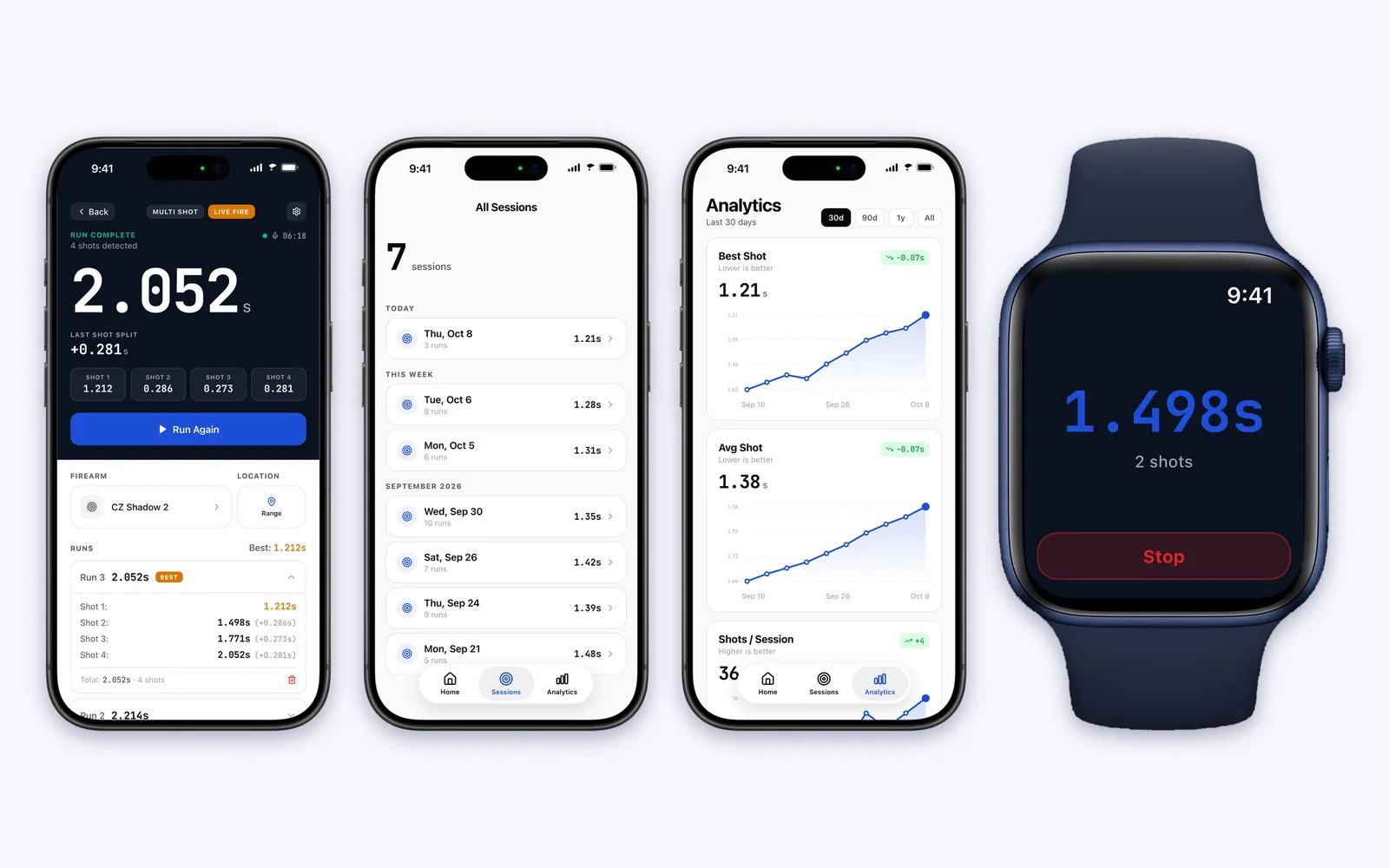
The timer with a training log. Tap Start, wait for the beep and shoot.
- Random delay and a beep, and the iPhone microphone times every shot. No extra gear
- Dry Fire and Live Fire modes, with a sensitivity you can test live
- Every run saved with its splits, the firearm, the range and photos of your target
- Charts and share cards to watch your times drop
- Apple Watch to start from your wrist
- Best for: shooters who train often and want to see progress
IPSC Shot Timer
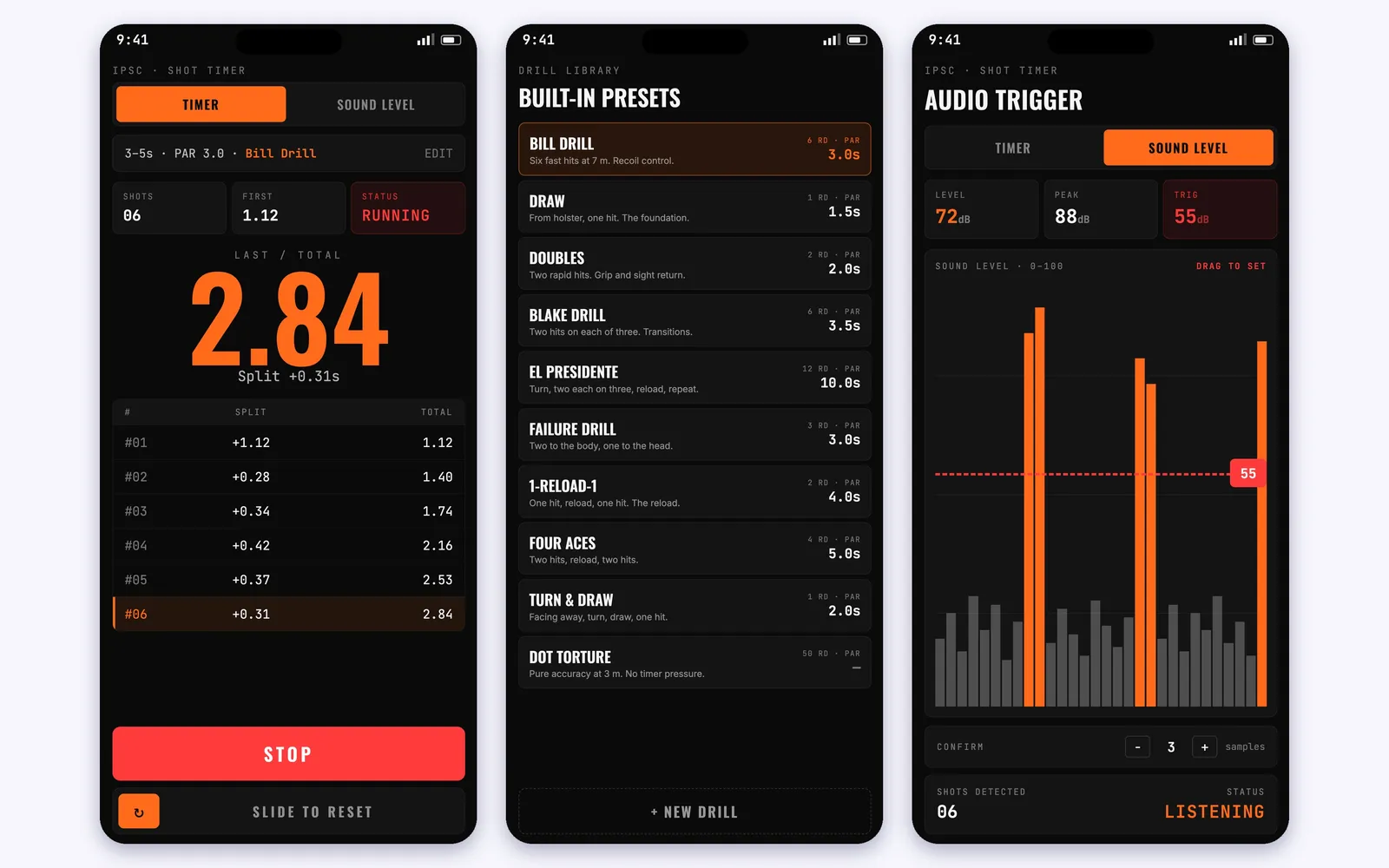
The timer with the match tools.
- Microphone detection with a threshold you drag and a live level meter
- Ten classic drills and IPSC scoring with hit factor, per its screenshots
- Video review of the run and an Apple Watch remote
- Free, with no purchases listed. English only
- Best for: IPSC shooters who want scoring and a drill library
ShootOnTime
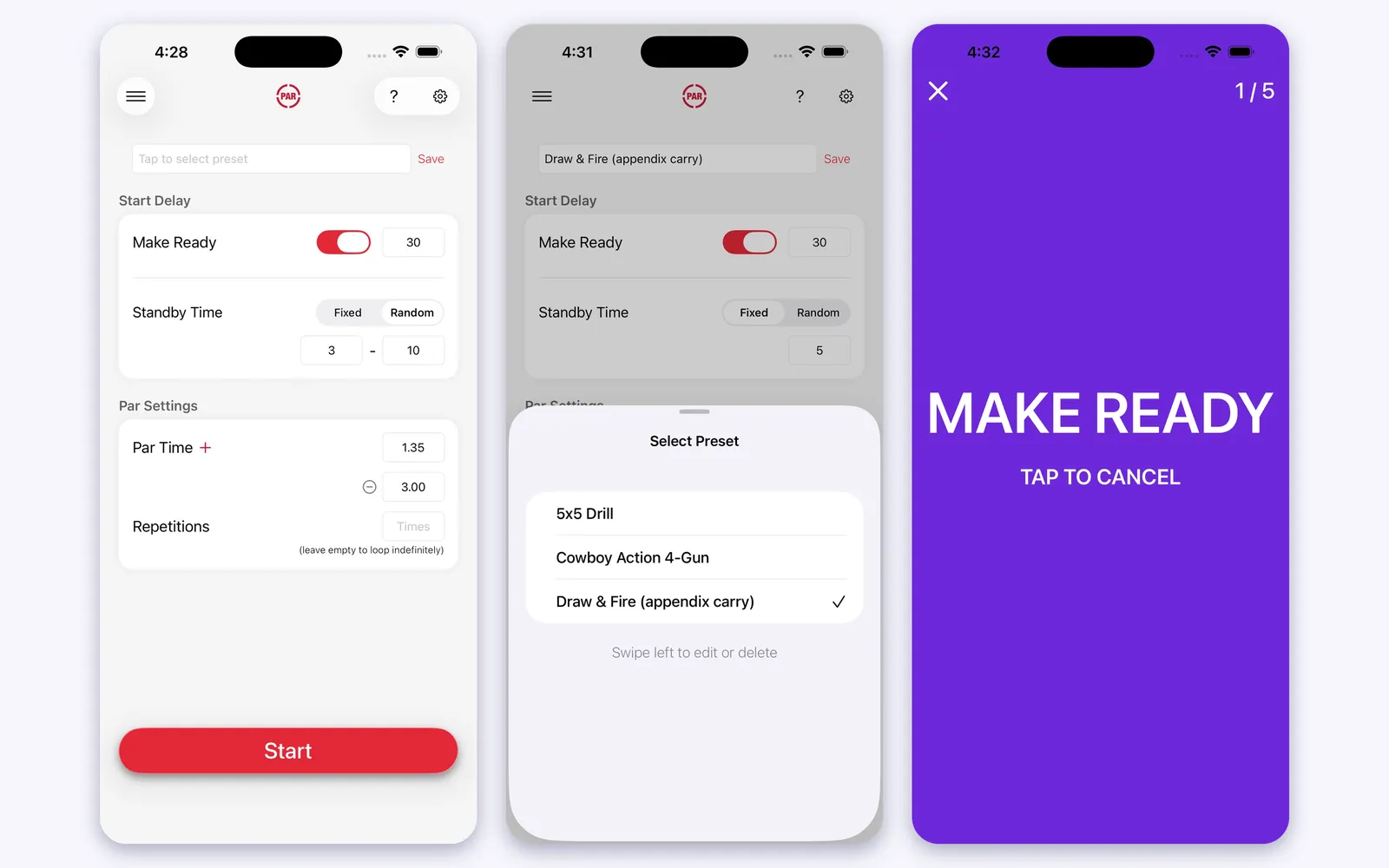
The par timer. Simple and free.
- Par time and delay only: it does not listen to the shots
- Fixed or random standby and repetitions
- Presets you save and full screen colors that change from READY to your time
- The lightest of the six, 9.7 MB
- Best for: dry fire at home, when you only need the beep
Dry Fire Pro
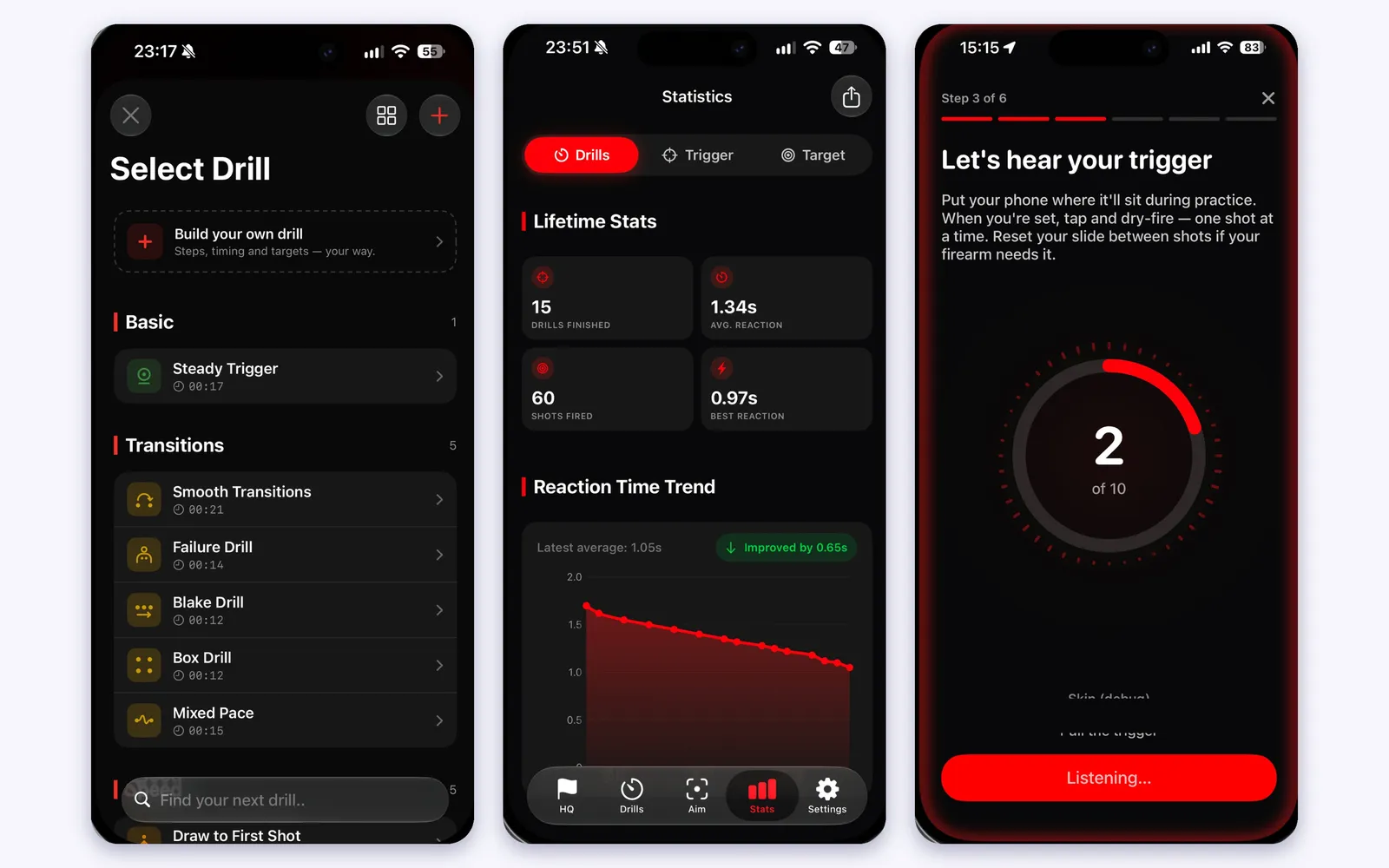
A dry fire trainer, not a range timer.
- Hears the trigger click with on-device machine learning, and learns your gun
- Aim training with the front camera and a muzzle sticker
- Drill library by skill, with custom drills you can share by link or QR code
- No accounts and no trackers, per the listing. English, Czech and Polish
- Best for: people who train trigger control at home
PlinkPal
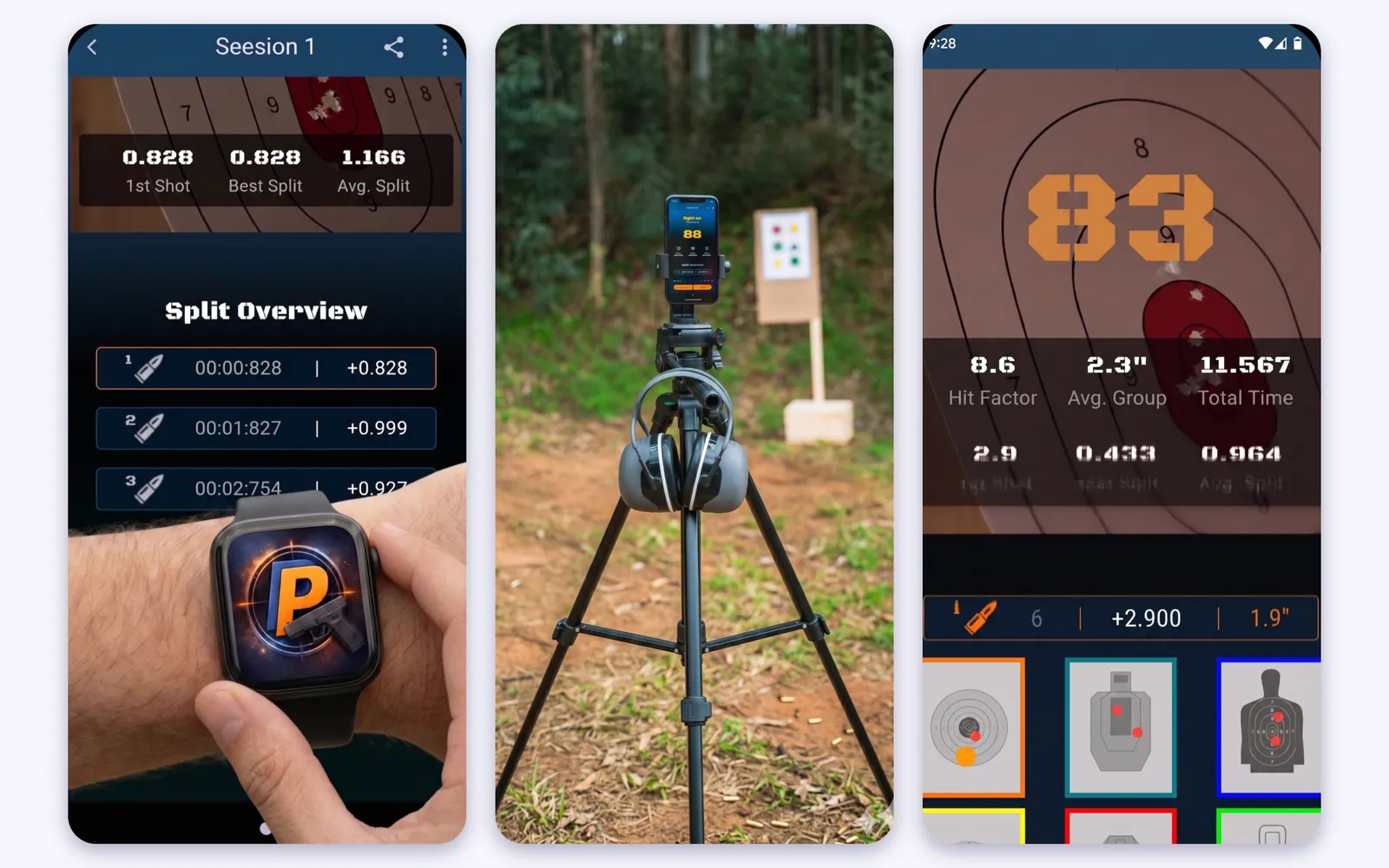
The most ambitious one: timer, simulator and target camera.
- AI Target Vision to track hits with the phone camera
- Smartwatch recoil timer that works without the phone
- Hit Factor, loadouts and charts, and a ranking
- The largest download, 139.8 MB, and it needs iOS 15.6
- Best for: people who want the camera and the watch
Recoil Shot Timer
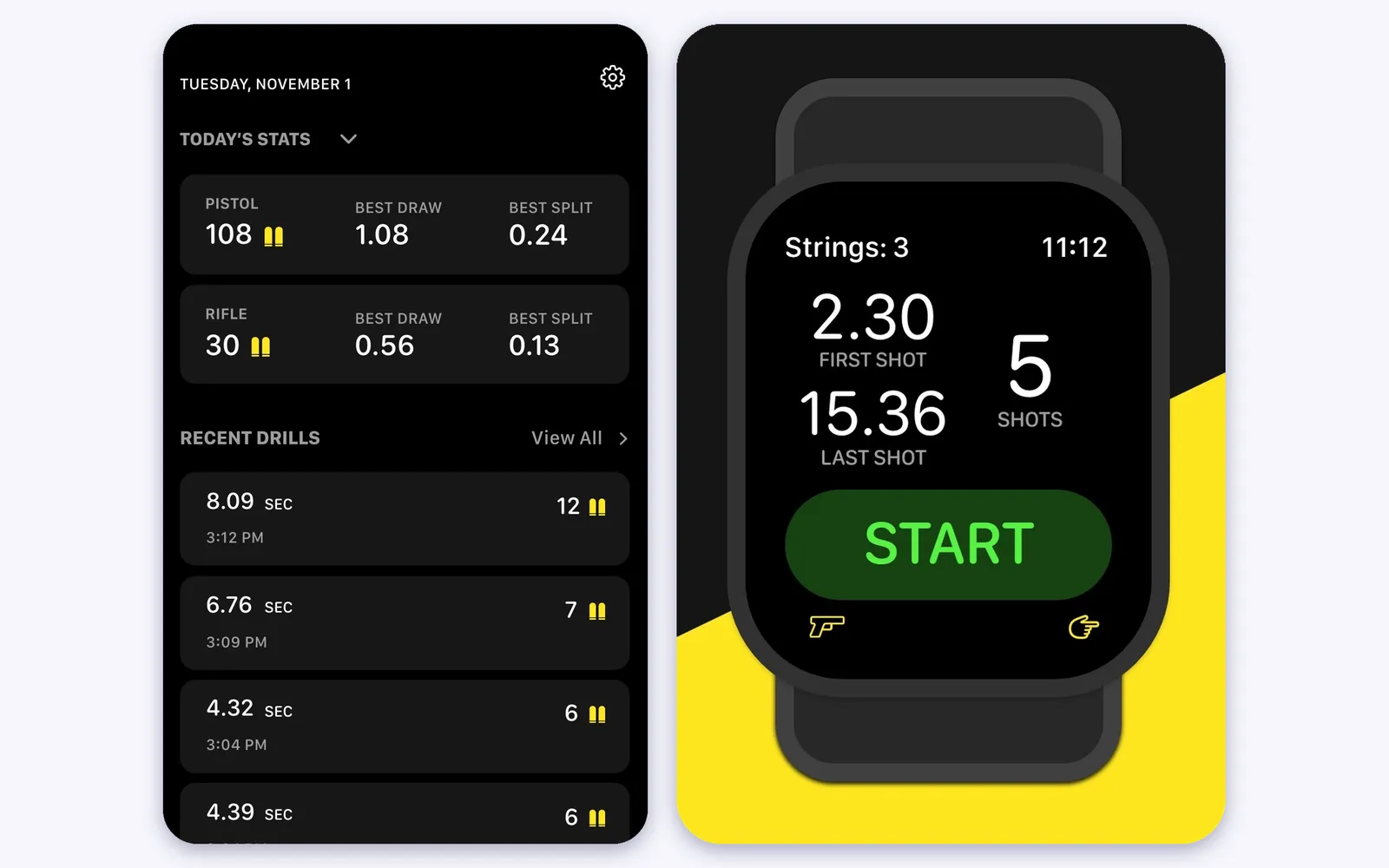
The wrist timer.
- Recoil-driven shot detection on the Apple Watch, with a neural network trained on over 20,000 shots, per the listing
- Stats on the phone by day or period, and by pistol or rifle
- Developed in partnership with the Office of Naval Research, per the listing
- Works best on centerfire rifles and pistols
- Best for: crowded ranges and suppressed firearms
Price and Free Plan
| Free plan | Paid | |
|---|---|---|
| ShotSession | Free to download | Pro, listed from $9.99 up to $59.99 |
| IPSC Shot Timer | Yes, no purchases listed | Not listed |
| ShootOnTime | Yes, no purchases listed | Not listed |
| Dry Fire Pro | Timer, starter drills and 7 days of stats | Pro: $2.99 monthly, $19.99 yearly or $39.99 one time |
| PlinkPal | Free to download | Premium, listed from $3.99 up to $59.99 |
| Recoil | Free to download | $2.99 monthly, $19.99 yearly or $39.99 one time |
Prices are from each app’s App Store In-App Purchases list in the US store, on Nov 21, 2026. They change by country. ShotSession and PlinkPal list several plans under similar names, so we show the range.
Which One Is Best for What
- Best to train and see progress, on iPhone and Apple Watch: ShotSession
- Best match tools and drill library: IPSC Shot Timer
- Simplest par timer, free: ShootOnTime
- Best dry fire and trigger control: Dry Fire Pro
- Best camera and watch features: PlinkPal
- Best for a crowded range: Recoil
Suggestion: ShotSession
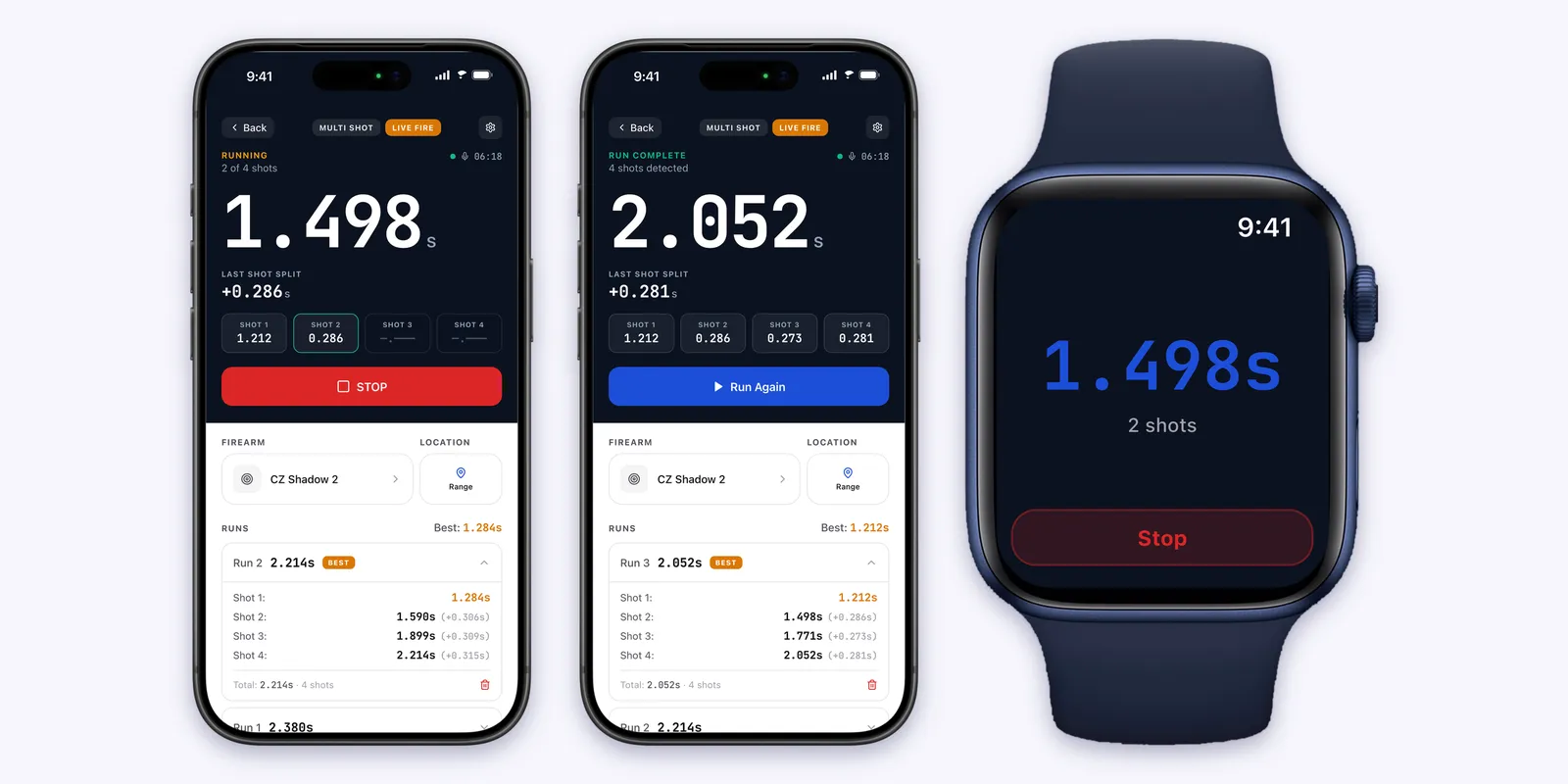
If you want a real shot timer that records every run and shows your times dropping, our pick is ShotSession. On the App Store it is listed as IPSC Shot Timer by ShotSession.
It runs on iPhone and iPad, with an Apple Watch app to start from your wrist.
- Tap Start, wait for the beep, and the microphone times every shot
- Dry Fire and Live Fire, with a sensitivity you can adjust
- Every run saved with splits, firearm, range and target photos
- Charts and share cards, in 9 languages
Read the full review or the comparison with IPSC Shot Timer, ShootOnTime and Par Timer Pro.
