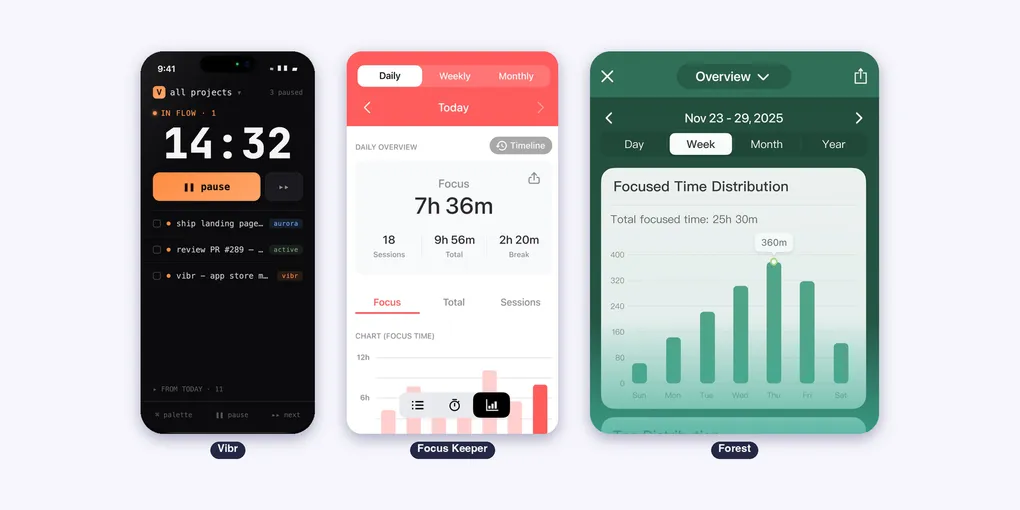
Best Pomodoro App for iPhone and Mac: Vibr, Be Focused, Focus Keeper, Forest, Focus To-Do, Flow and Session Compared
Every Pomodoro app on the App Store counts 25 minutes and rings a bell. What changes is where your tasks live, what the timer does outside the app, what it blocks and what you pay after the free trial.
This is a screen by screen comparison of Vibr, Be Focused, Focus Keeper, Forest, Focus To-Do, Flow and Session, for iPhone and Mac. We used the apps, tested every feature and did a full review.
Table of Contents
- Side by Side on iPhone and Mac
- How the Timer Works
- Where Your Tasks Live
- How You See Progress
- Vibr
- Be Focused
- Focus Keeper
- Forest
- Focus To-Do
- Flow
- Session
- Price and Free Plan
- Which One Is Best for What
- Suggestion: Vibr
Side by Side on iPhone and Mac
| Vibr | Be Focused | Focus Keeper | Forest | Focus To-Do | Flow | Session | |
|---|---|---|---|---|---|---|---|
| iPhone | Yes | Yes | Yes | Yes | Yes | Yes | Yes |
| iPad | Yes | Yes | Yes | Yes | Yes | Yes | Yes |
| Mac | Native, menu bar | Yes, separate app | Not listed | Not listed | Not listed | Yes | Yes |
| Apple Watch | Yes | Yes | Yes | Not listed | Yes | Yes | Not listed |
| Minimum iOS | 17.0 | 12.0 | 16.0 | 16.0 | 15.0 | 26.0 | 13.4 |
| Size | 21 MB | 19 MB | 908 MB | 886 MB | 108 MB | 90 MB | 112 MB |
| Languages | 11 | 9 | 12 | 14 | 33 | 19 | 23 |
| Live Activity | Yes | Yes | Not listed | Not listed | Not listed | Yes, and Dynamic Island | Not listed |
| Home Screen widgets | None | Yes | Yes | Not listed | Not listed | Yes | Not listed |
| Blocks apps | None | Yes, on the Mac | Not listed | Yes, Allow Lists | Strict Mode | Yes | Yes, on the Mac |
Vibr is lightweight and the only one built around the Mac menu bar. Focus To-Do has the most languages, and Flow needs the newest iOS. The sizes are from the iPhone listing, so the Mac app of Be Focused, Flow and Session can differ.
How the Timer Works
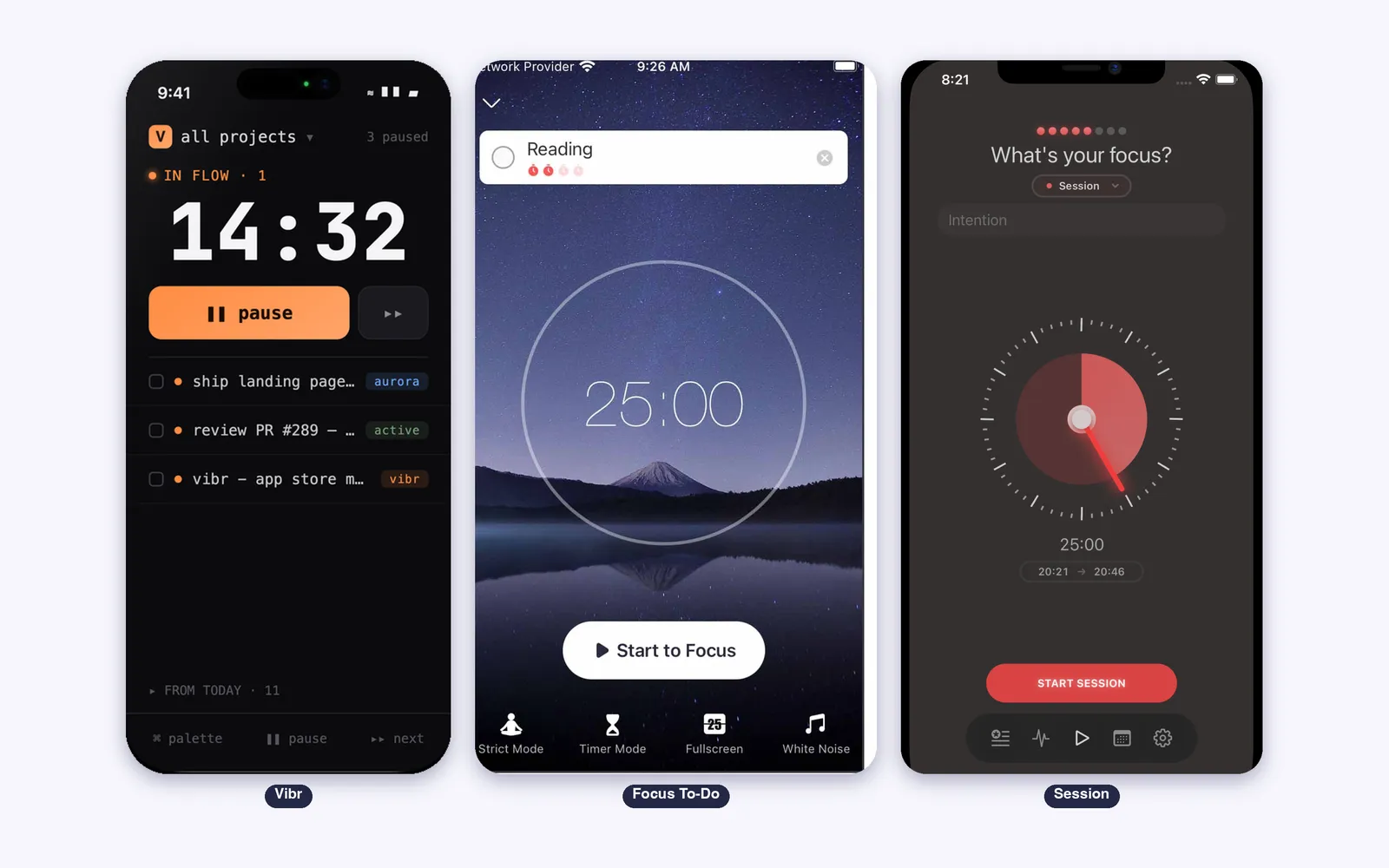
The timer is the one thing you stare at, so how it behaves outside the app matters.
- Vibr: the countdown sits in the Mac menu bar, and on iPhone it is a Live Activity on the Lock Screen and in the Dynamic Island. The Apple Watch shows the same session
- Flow: a Live Activity and Dynamic Island, widgets, Apple Calendar and Apple Health sync, and a commitment mode
- Be Focused: Live Activity, widgets, Shortcuts and a Mac app that blocks distracting apps and sites
- Focus Keeper: the classic technique with adjustable focus, short and long breaks, plus widgets and an Apple Watch app
- Focus To-Do: a full screen timer with white noise, themes and a Strict Mode that makes you flip the phone
- Session: a dial that shows the block of time, with a stated intention for each session
- Forest: a tree grows while you stay off the phone and withers if you leave
Where Your Tasks Live
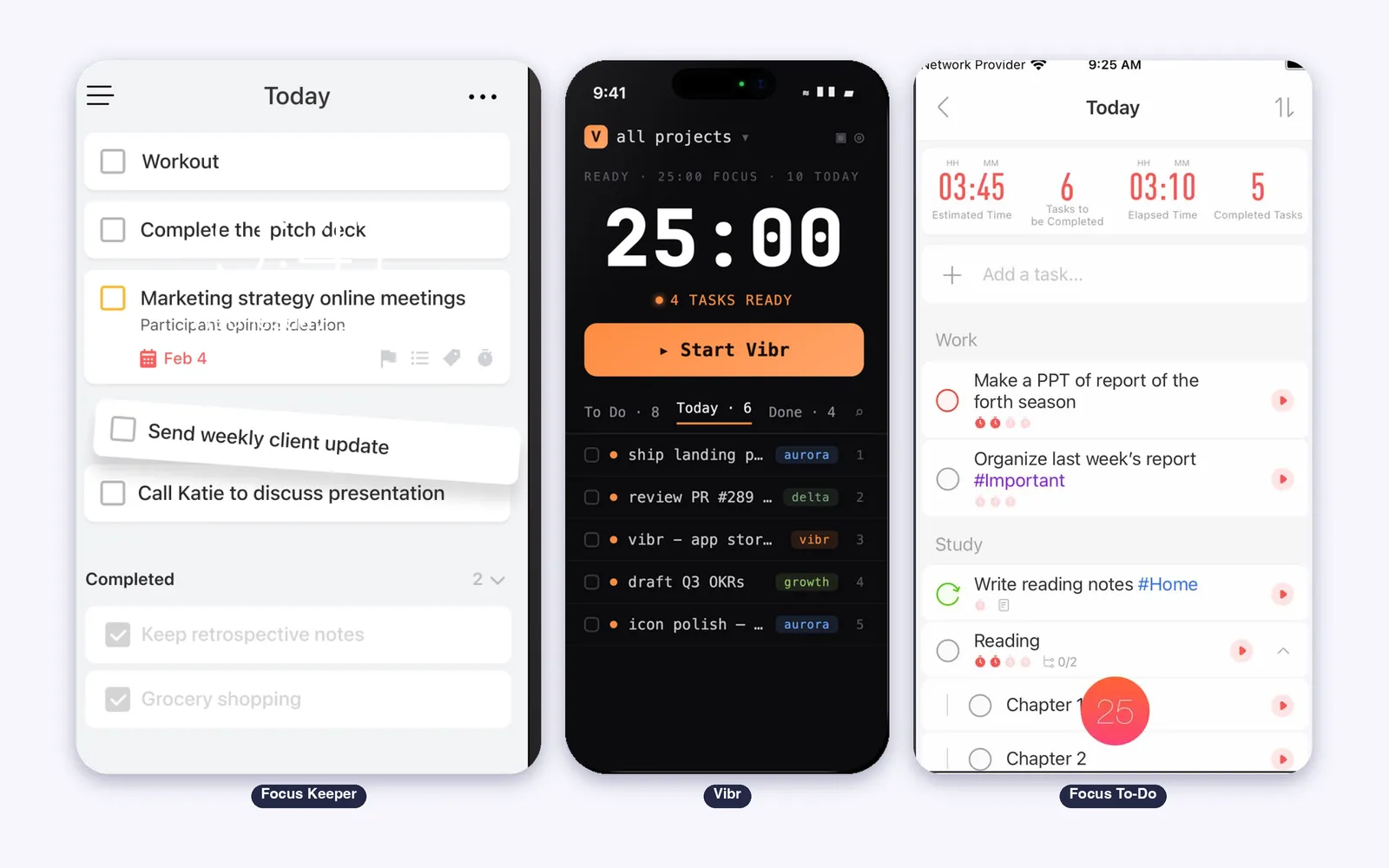
- Vibr: every task belongs to a project. You pick a few tasks for the next session, start, and tick them off. What is left goes back to the list
- Be Focused: tasks with notes, tags, due dates and an estimate of how many intervals each one takes
- Focus To-Do: the heaviest task manager of the seven: projects, recurring tasks, reminders and a calendar, synced with your computer
- Focus Keeper: a daily to-do and a planner with recurring tasks
- Session: no task list. You write your intention and the session starts
- Flow: a title for each session, no task list
- Forest: no task list. The unit is the tree
How You See Progress
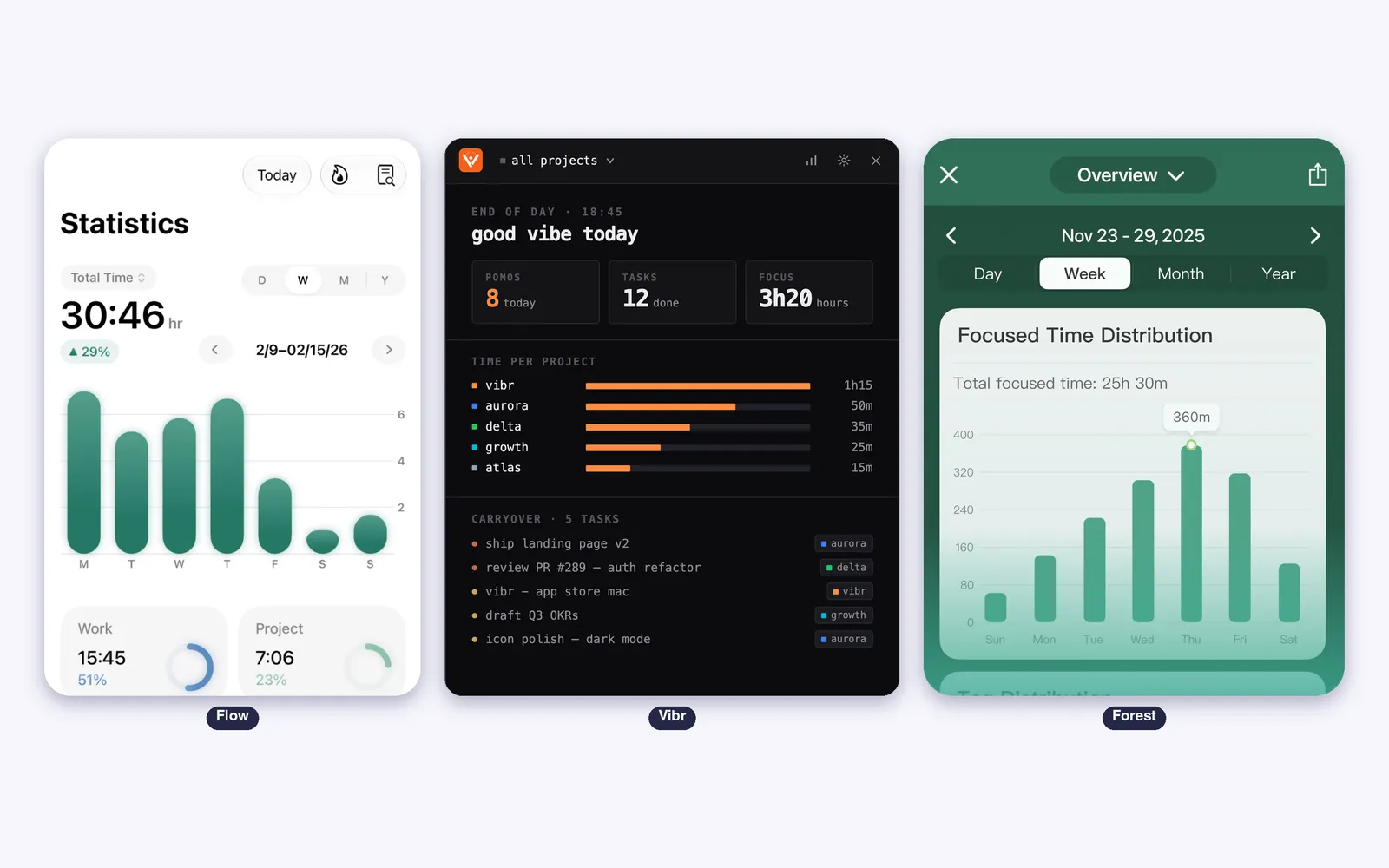
- Vibr closes the day with pomodoros, tasks done and hours of focus, the time spent on each project and the tasks that carry over to tomorrow
- Flow charts your time by category, shows streaks and adds a calendar view
- Forest draws your focused time by day, week, month and year, and your forest grows with it
- Focus To-Do adds detailed reports by project, focus time and tasks
- Focus Keeper has daily, weekly and monthly charts and a timeline of each session
- Be Focused reports by period, with CSV export
- Session shows a weekly report with how focused each session felt
Vibr
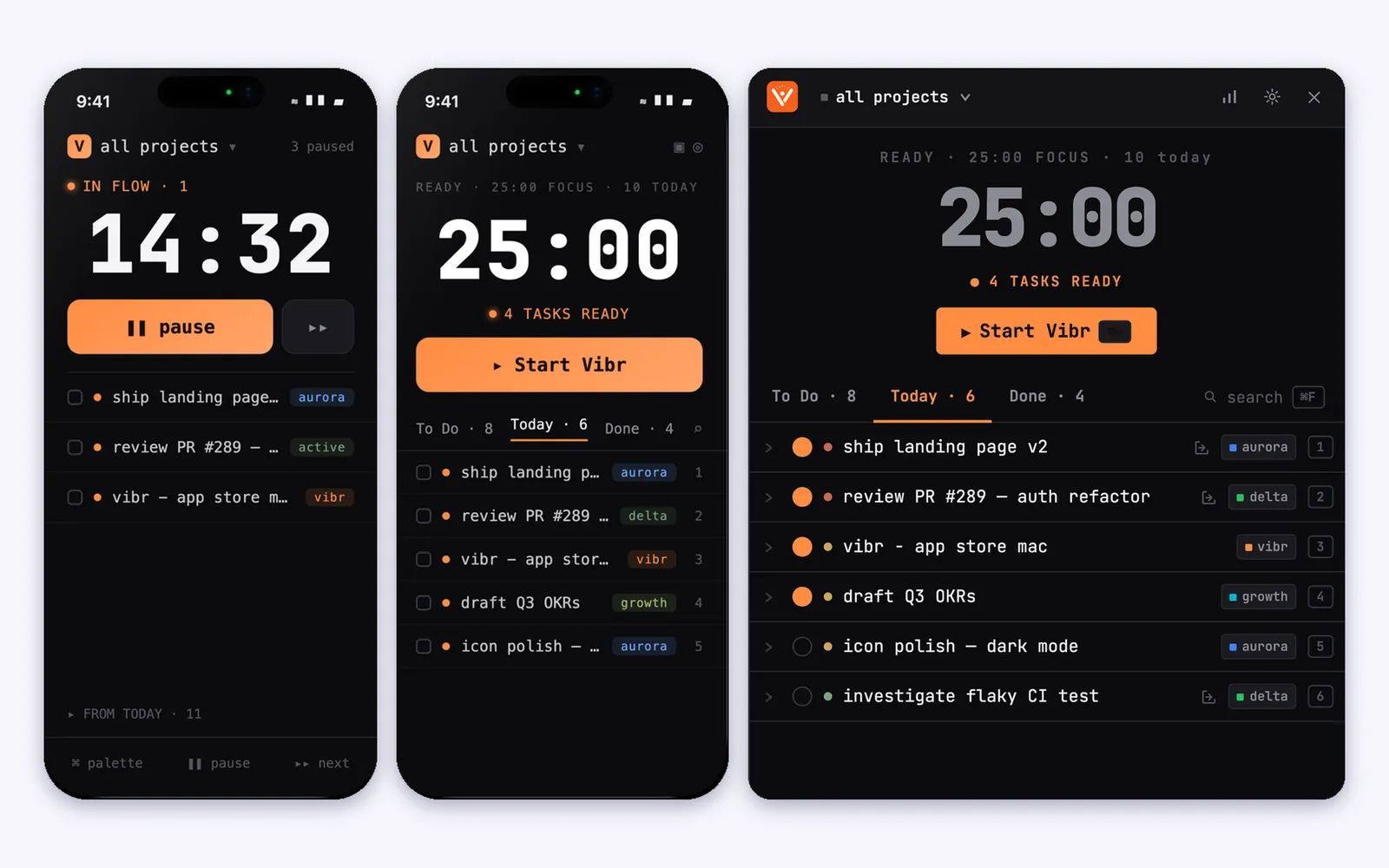
Vibr is a Pomodoro timer that keeps you on task. You pick today’s tasks, start, and clear your list.
- Pick the tasks first: a session starts with the few tasks you chose, from different projects
- iPhone, iPad, Mac and Apple Watch: start on iPhone, keep going on Mac. The Mac app lives in the menu bar
- Live Activity on the Lock Screen and in the Dynamic Island
- End of day report with the time per project
- Light: 21 MB on the iPhone listing
- No widgets and no app blocker, today
- Best for: people who work on several projects a day
Be Focused
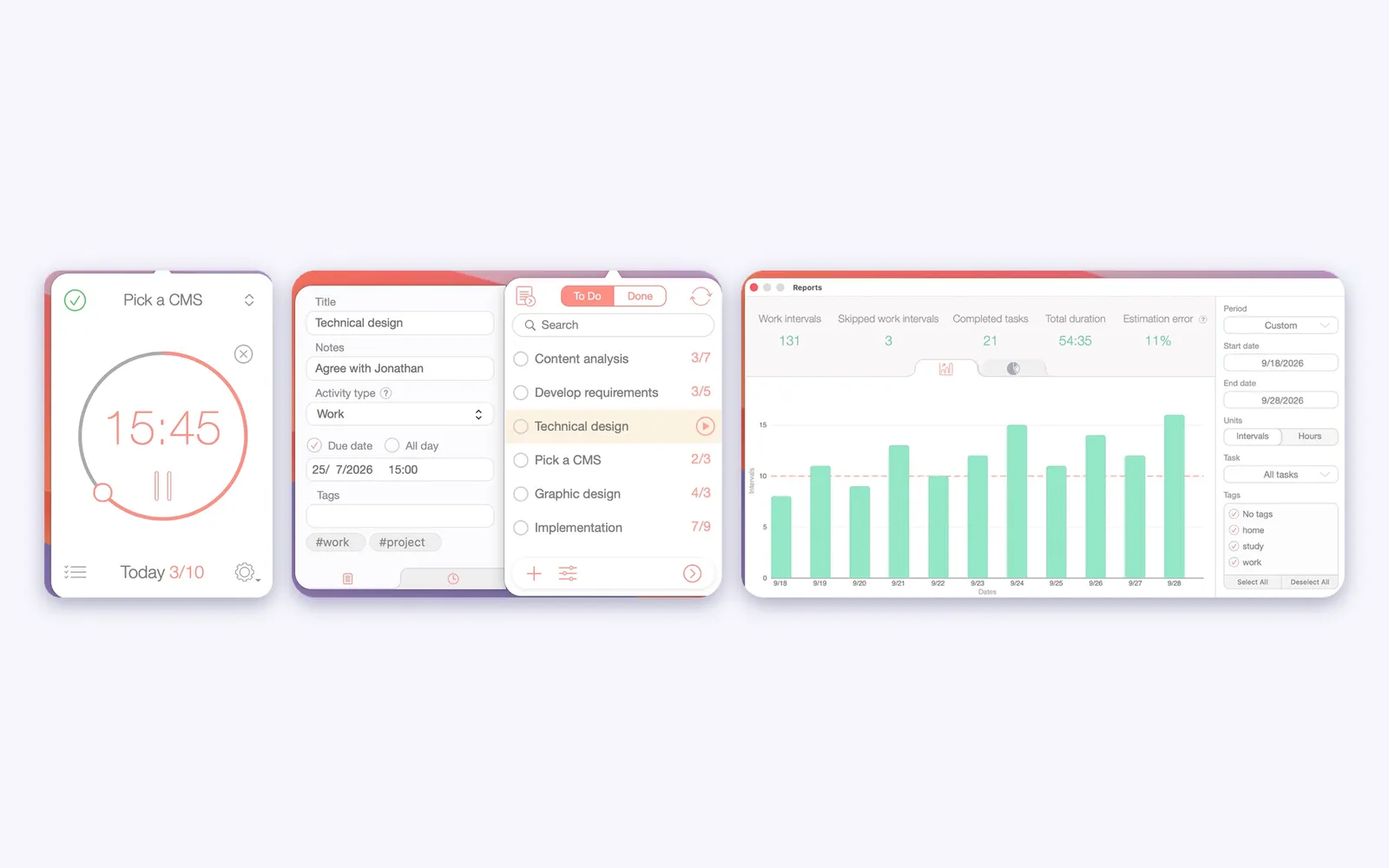
The Pomodoro timer with the longest feature list, and the one with a full Mac app.
- Tasks with notes, tags, due dates and interval estimates
- Block apps and websites during a session, in Safari, Chrome, Edge, Opera and Brave
- Sync across iPhone, iPad and Mac, and reports you can export as CSV
- Pro: Monthly $2.99, Yearly $19.99, Lifetime $39.99
- Best for: people who want one app for the Mac and the phone, with tasks and a blocker
Focus Keeper
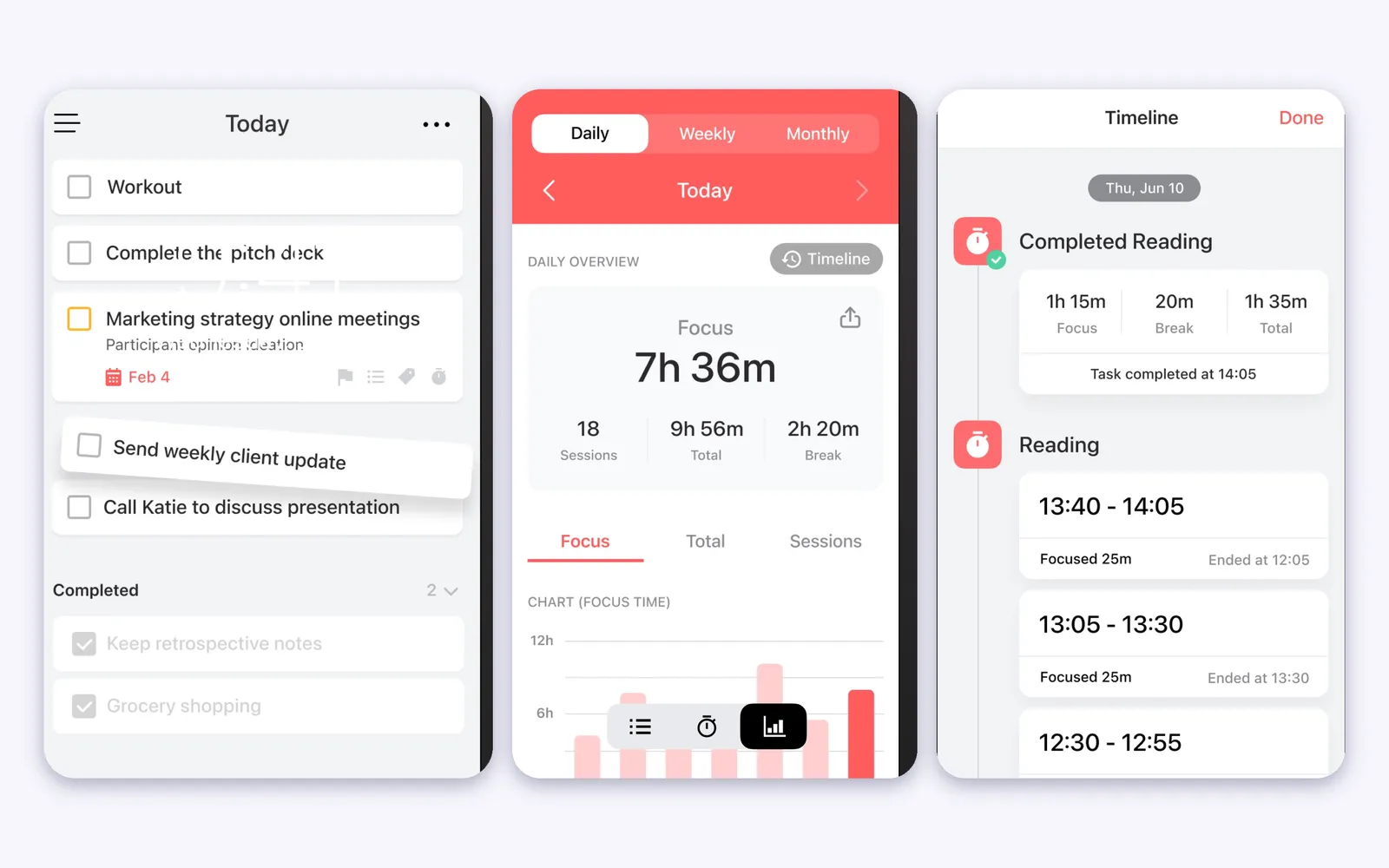
The classic technique with habits around it.
- Daily to-do and planner with recurring tasks
- Charts of focus time, with a timeline of each session
- Widgets and Apple Watch
- No native Mac app listed. It also runs on Android and the web, per its listing
- Best for: students and people who want a plain timer with a daily list
Forest
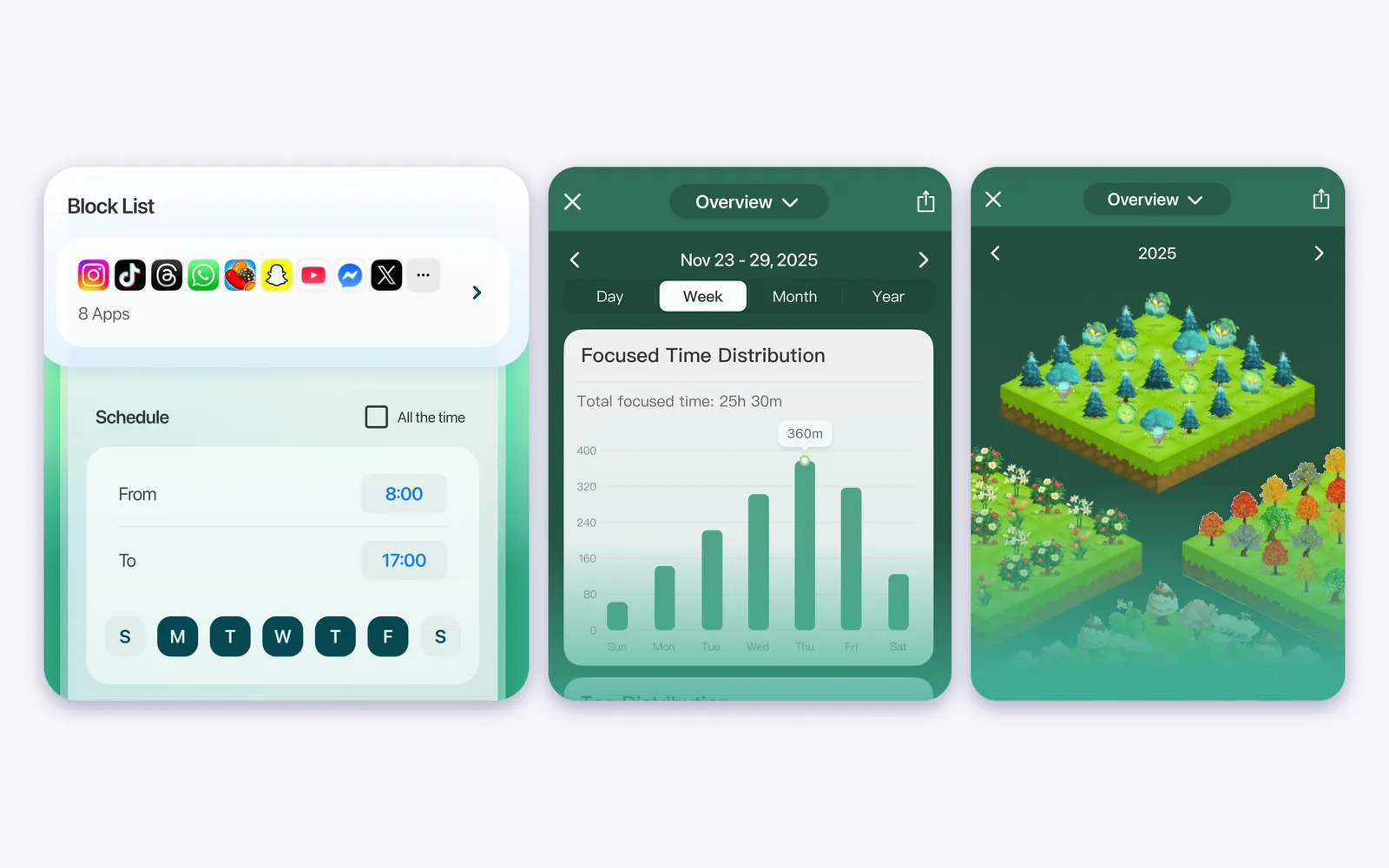
The gamified one. Stay off your phone and a tree grows.
- Allow Lists and Time Guard block distracting apps on a schedule
- Friends: plant trees together in shared sessions
- Real trees: the app says it plants real trees with Trees for the Future
- iPhone and iPad only on the listing, and the largest download with 886 MB
- Best for: people who want to put the phone down
Focus To-Do
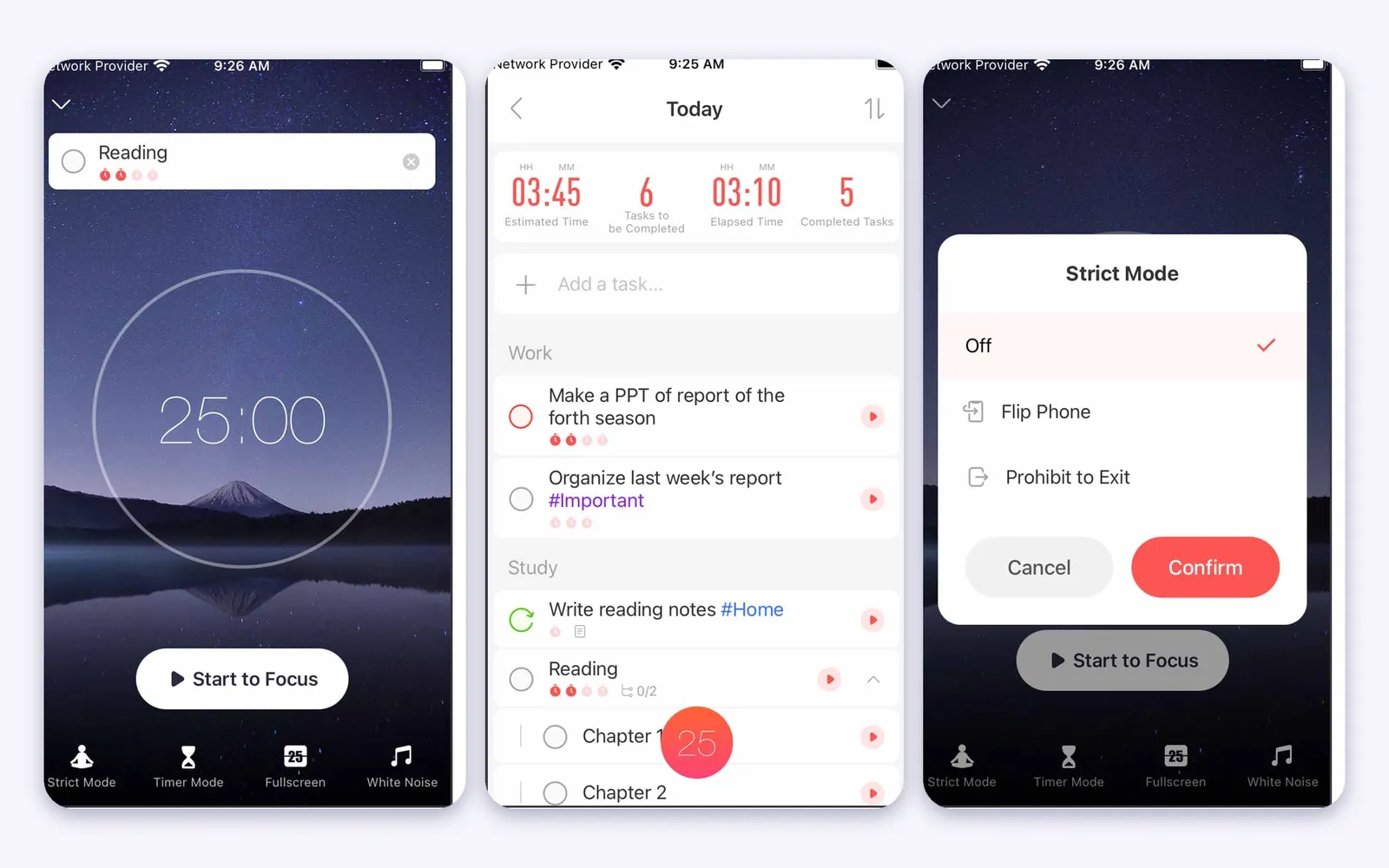
Pomodoro and a task manager in the same place.
- Projects, recurring tasks and reminders next to the timer
- Strict Mode, white noise and themes
- Reports by project and focus time, with sync across devices
- 33 languages, the most of the seven
- Best for: people who want a to-do list as complete as the timer
Flow
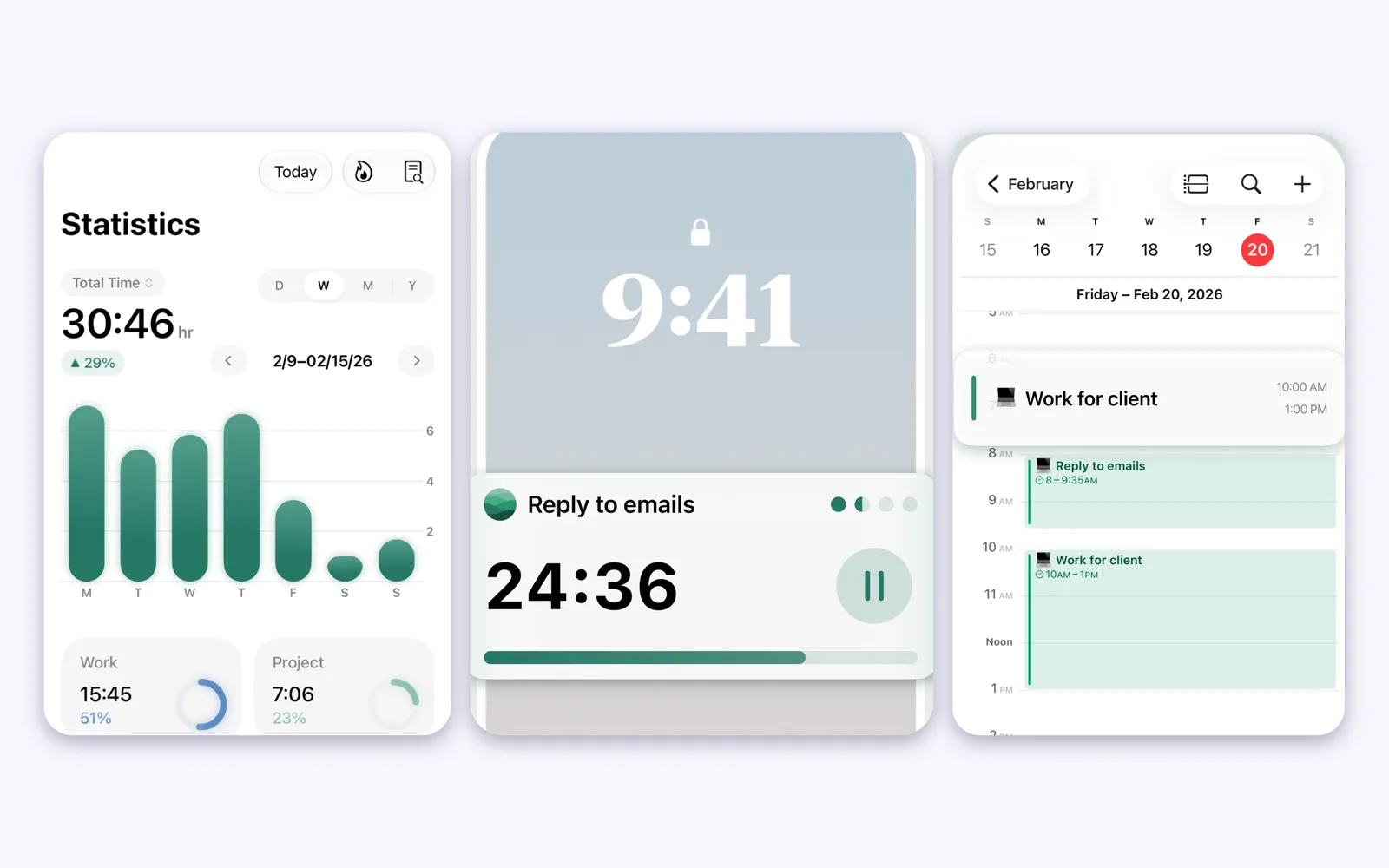
The most current with Apple’s features.
- Live Activity, Dynamic Island and widgets
- Apple Calendar and Apple Health sync, and iCloud sync of your stats
- App and web blocking, a commitment mode and daily streaks
- Needs iOS 26 or later, per its listing
- Best for: people on the latest iPhone who want streaks and a calendar
Session
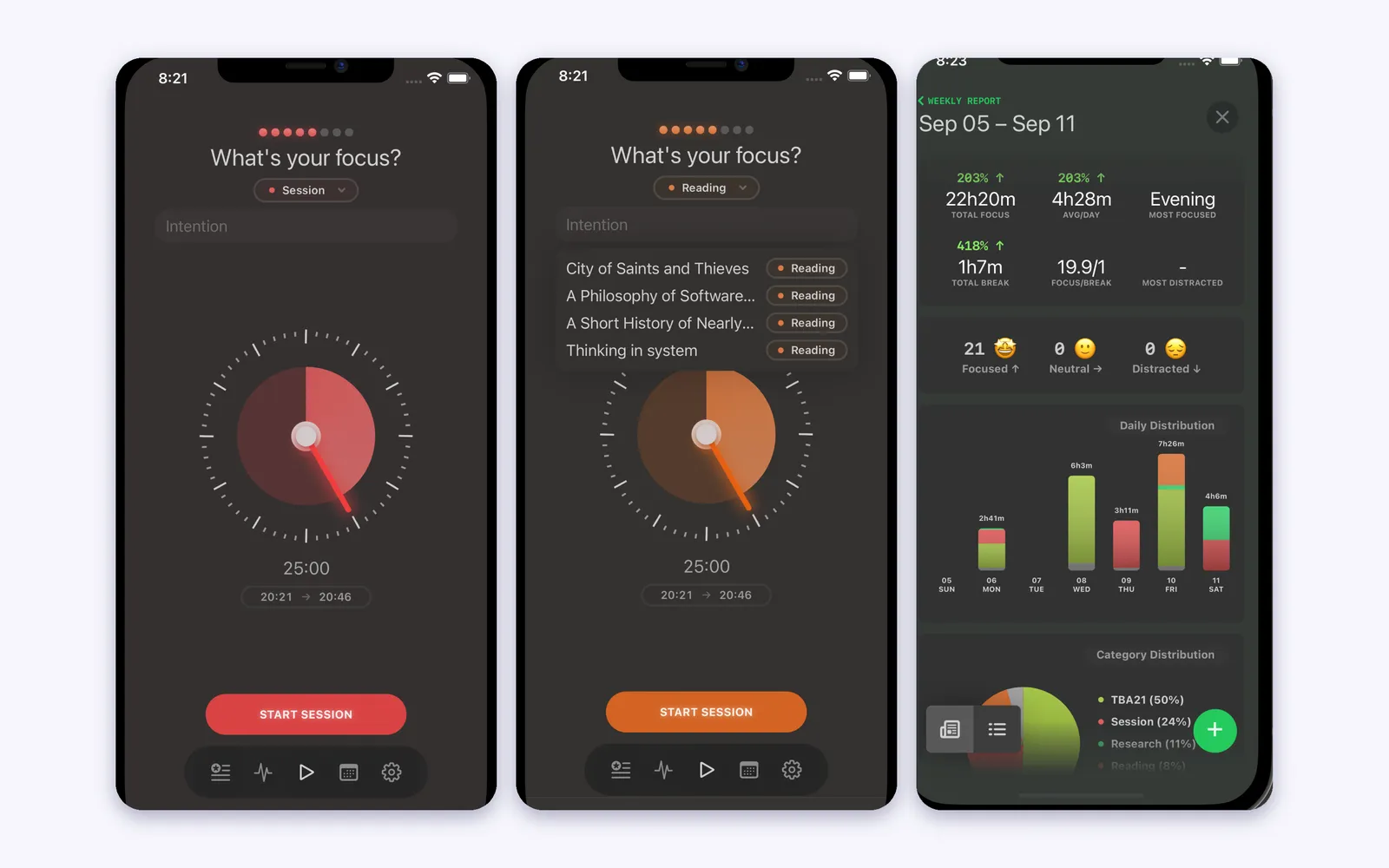
A dark, minimal timer built around intention.
- State your intention before each session and rate how it went
- Blocks websites and apps on the Mac and mutes a Slack team during the session
- Shortcuts support to run your own automations
- No Apple Watch listed
- Best for: knowledge workers on a Mac who want a quiet timer
Price and Free Plan
| Free plan | Paid | |
|---|---|---|
| Vibr | Free to download | Vibr Pro, listed from $2.99 up to $49.99 |
| Be Focused | Yes | Pro: $2.99 monthly, $19.99 yearly or $39.99 lifetime |
| Focus Keeper | Yes | Pro, listed from $3.99 to $34.99, with other plans up to $199.99 |
| Forest | Yes | Annual (Early Bird) $35.99, Monthly (Early Bird) $5.99 |
| Focus To-Do | Yes | Lifetime $11.99, 3 Months $3.99, Premium $1.99 |
| Flow | Yes | Monthly $2.99, Yearly $17.99, Lifetime $39.99 |
| Session | Yes | Monthly $4.99, Yearly $39.99 |
Prices are from each app’s App Store In-App Purchases list in the US store, on Nov 13, 2026. They change by country. Vibr and Focus Keeper list several plans under similar names, so we show the range.
Which One Is Best for What
- Best for several projects a day, on iPhone, Mac and Apple Watch: Vibr
- Best Mac app with a blocker: Be Focused
- Simplest timer with a daily list: Focus Keeper
- Best to put the phone down: Forest
- Best task manager: Focus To-Do
- Best streaks and calendar on a new iPhone: Flow
- Best quiet timer for Mac with intention: Session
Suggestion: Vibr
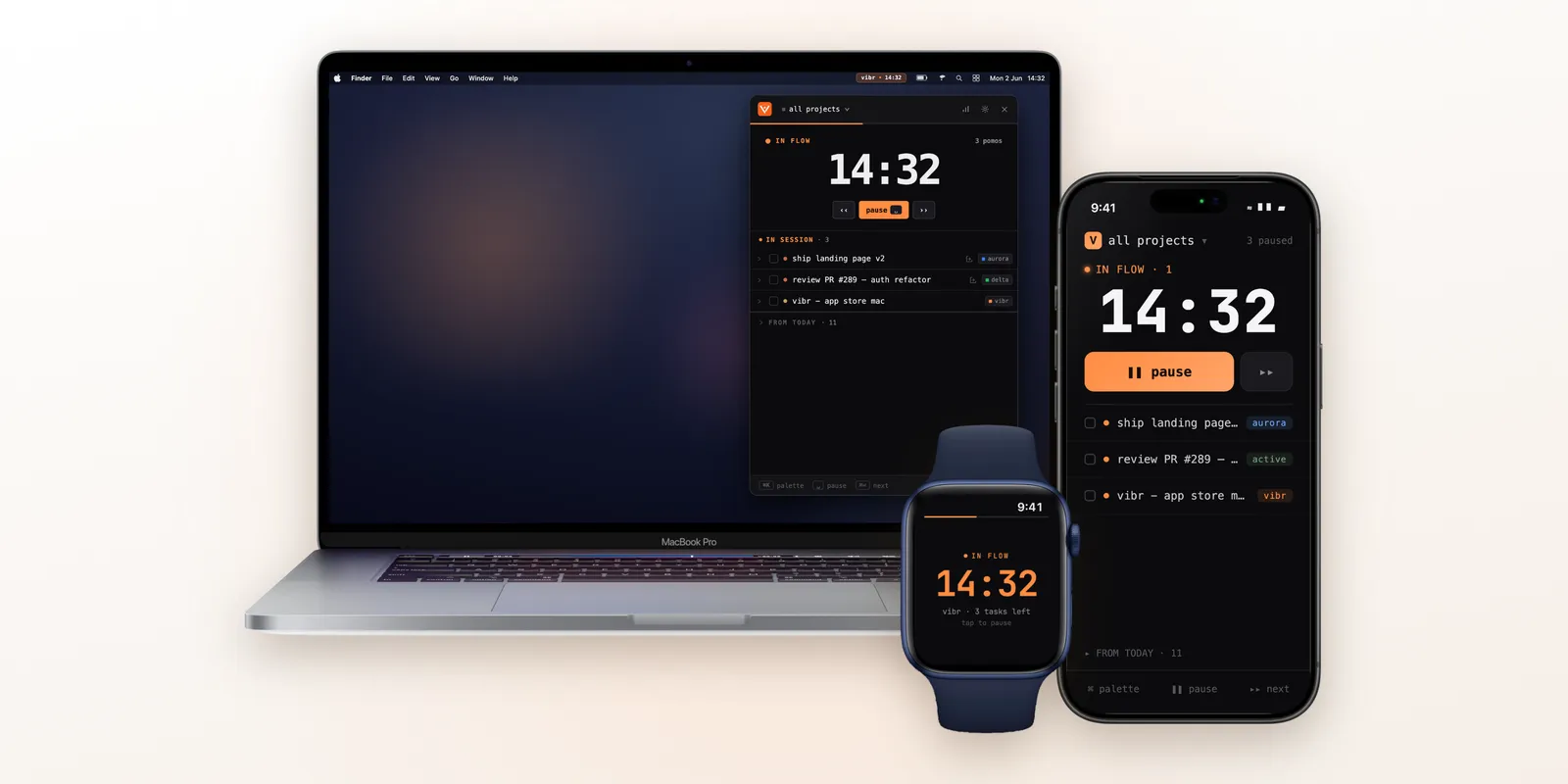
If you want a Pomodoro timer that keeps you on task, across several projects, our pick is Vibr.
It runs on iPhone, iPad, Mac and Apple Watch, with the countdown in the Mac menu bar and a Live Activity on the iPhone.
- Pick today’s tasks and clear your list, one session at a time
- Start on iPhone, keep going on Mac, with iCloud and no account
- Light: 21 MB on the iPhone listing
- End of day report with the time per project
Read the full review or the comparison with Be Focused and Focus Keeper.
